
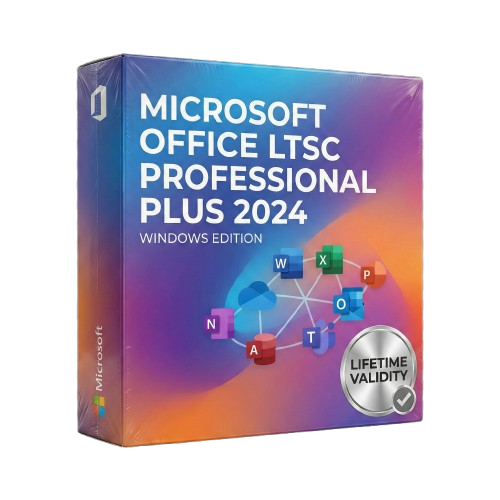
Office Professional Plus 2024 for Lifetime
- AUTOMATIC DELIVERY INSTANTLY ON REGISTERED EMAIL .
- Any Installation Problem Freely Contact Us(Will Give You Support)
- Lifetime Validity
- Windows Version
- Secure a perpetual license for commercial use without recurring subscription fees.
- Includes Word, Excel, PowerPoint, Outlook, OneNote, and Microsoft Access.
- Insert live camera feeds into slides with the new PowerPoint Cameo feature.
- Visualize data dynamically in Excel using new array functions and charts.
- Manage databases effectively with the updated Microsoft Access for Windows.
- Save files in the latest OpenDocument Format (ODF) 1.4 by default.
- Access emails and contacts faster with improved search in Outlook 2024.
- Deploy easily in offline environments with standard volume licensing tools.
Original price was: ₹999.00.₹499.00Current price is: ₹499.00.
Overview of Microsoft Office 2024
It is a suite of desktop productivity applications developed by Microsoft for Windows. It includes applications for word processing (Word), spreadsheets (Excel), presentations (PowerPoint), note-taking (OneNote), database management (Access), email (Outlook), and project management (Project). It is available in various editions, including Home & Student, Home & Business, Professional, and Professional Plus.
New features in Microsoft Office 2024
- Real-time collaboration now supports real-time collaboration on Word, Excel, and PowerPoint documents. This means multiple users can work on the same document simultaneously, and their changes will be saved and visible to everyone else in real-time.
- AI-powered insights: The software includes several AI-powered insights to help users be more productive. For example, Word can automatically suggest relevant content and images to users as they type, and Excel can automatically identify trends and patterns in data.
- Improved performance and stability: It has also been optimized for performance and stability. This means it should run faster and more reliably than previous versions of Office.
Intuitive User Interface
One of the first things users will notice is the refreshed and modernized user interface. Microsoft has focused on simplifying navigation and improving the overall aesthetics. The ribbon interface, a hallmark of Office applications, has undergone a facelift to provide a more intuitive and visually appealing experience.
Enhanced Collaboration Tools
With enhanced co-authoring capabilities, multiple users can work on a document simultaneously, fostering real-time collaboration. This game-changer for teams working remotely or individuals seeking seamless cooperation on projects.
Intelligent Assistance with AI Integration
Microsoft has integrated advanced AI capabilities into Office 2024, providing users intelligent assistance throughout their workflow. From smart suggestions in Word to predictive data trends in Excel, the AI features aim to make work more efficient and informed.
New and Improved Applications
Each application within the Office suite has received updates. Word boasts new formatting options and improved writing assistance, while Excel introduces advanced data analysis tools. PowerPoint sees design and presentation features enhancements, making it easier to create visually stunning slideshows.
Cross-Platform Compatibility
Recognizing the diverse ecosystem of devices today, Microsoft Office 2024 ensures seamless compatibility across Windows PCs, Macs, tablets, and mobile devices. This cross-platform functionality empowers users to switch between devices without compromising their work.
Security and Compliance Features
The software introduces robust security and compliance features in an era where data security is paramount. Enhanced encryption, data loss prevention, and secure collaboration tools create a more secure digital workspace.
System requirements
- Operating system: Windows 11 or Windows 10
- Processor: 2.0 GHz or faster, 2-core processor
- Memory: 4 GB RAM (8 GB RAM recommended)
- Hard disk space: 10 GB of available disk space
Conclusion
As we embrace the era of Microsoft Office 2024, it’s evident that the tech giant continues to prioritize innovation and user-centric design. The revamped interface, enhanced collaboration tools, AI integration, and cross-platform compatibility make this version a must-have for anyone seeking a dynamic and efficient productivity suite. Whether you’re a seasoned professional or a student embarking on a project, it sets the stage for a new standard in digital productivity.
Related Products
- AUTOMATIC DELIVERY INSTANTLY ON REGISTERED EMAIL .
- Any Installation Problem Freely Contact Us(Will Give You Support)
- Lifetime Validity
- Windows Version
- Import and animate 3D models (GLB/GLTF) natively without external plugins.
- Isolate moving subjects instantly using the AI-powered Roto Brush 3.
- Access and edit key layer settings faster with the context-sensitive Properties Panel.
- Render previews and final exports simultaneously with Multi-Frame Rendering.
- Manage professional color workflows accurately with native OpenColorIO (ACES) support.
- Composite 3D objects realistically onto 2D footage using Shadow Catchers.
- Review and approve content seamlessly with the built-in Frame.io integration.
- AUTOMATIC DELIVERY INSTANTLY ON REGISTERED EMAIL .
- Any Installation Problem Freely Contact Us(Will Give You Support)
- Lifetime Validity
- Windows Version
- Edit video content as easily as a text document with the AI-powered text-based editing workflow.
- Instantly remove or replace video backgrounds without a green screen using dynamic AI masking.
- Automatically generate and sync accurate captions and subtitles from your voiceover in seconds.
- Smooth out jerky mouse movements and customize cursor paths with advanced cursor effects.
- Record high-resolution 4K screen capture, webcam, and system audio simultaneously.
- Clean up background noise and balance vocal levels instantly with AI-enhanced audio filters.
- Access a vast library of royalty-free intros, motion graphics, and music directly within the editor.
- Engage viewers by adding interactive quizzes and clickable hotspots directly to your videos.
- Apply professional animations and behaviors to text and images with simple drag-and-drop actions.
- Export videos faster than ever with optimized GPU acceleration for modern hardware.
- AUTOMATIC DELIVERY INSTANTLY ON REGISTERED EMAIL .
- Any Installation Problem Freely Contact Us(Will Give You Support)
- Lifetime Validity
- Windows Version
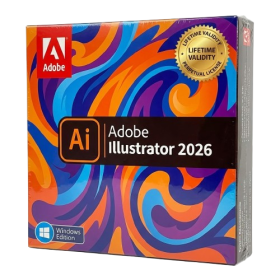
- Create smoother, band-free color transitions with new gradient dithering and perceptual blending modes.
- Rotate 2D vector artwork in 3D space to explore dynamic angles with the innovative Turntable tool.
- Identify fonts from raster images or outlined text instantly using the AI-powered Retype feature.
- Organize files and collaborate seamlessly with team members using the new shared Projects workspace.
- Snap objects precisely to path tangents and perpendicular points with enhanced smart snapping tools.
- Wrap vector graphics automatically onto images of real-world objects with the realistic Mockup tool.
- AUTOMATIC DELIVERY INSTANTLY ON REGISTERED EMAIL .
- Any Installation Problem Freely Contact Us(Will Give You Support)
- Lifetime Validity
- Windows Version
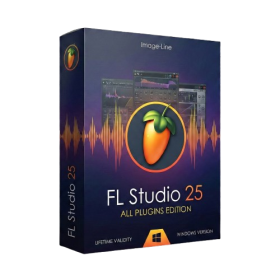
- Includes Everything: Every native plugin Image-Line sells (Synths, Effects, Tools).
- Massive Library: Comes with Harmor, Sytrus, Gross Beat, and the new Kepler Exo.
- Dynamic Mixing: Expand your mixer up to 500 tracks with the new 2025 engine
- Stem Separation: Split any song into Drums, Bass, Vocals, and Instruments instantly.
- Audio Editing: Edit pitch and time directly in the playlist with Newtone.
- Visualizers: Render 4K videos for social media with ZGameEditor Visualizer.
- Controller Support: Plug-and-play compatibility with virtually any MIDI controller.

- Lifetime Validity
- Instant Delivery on Email
- Any Installation Problem Freely Contact Us(Will Give You Support)
- Supported on Windows 10,11
- Pre-Activated for Lifetime Validity
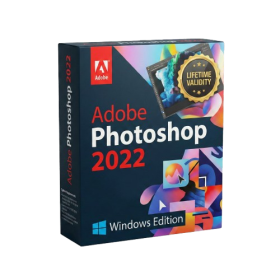
Adobe Photoshop is the industry-leading digital image editing and design application that offers the tools to create anything you can imagine.
- AUTOMATIC DELIVERY INSTANTLY ON REGISTERED EMAIL .
- Any Installation Problem Freely Contact Us(Will Give You Support)
- Lifetime Validity
- Windows Version
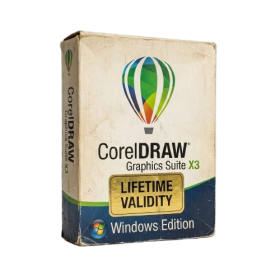
- A complete graphic design suite combining vector illustration, page layout, and photo editing.
- Quickly convert bitmap images into editable vectors with the integrated Corel PowerTRACE.
- Apply fills to any enclosed area instantly, regardless of the object’s structure, using the Smart Fill tool.
- Adjust color and tone easily in a single interface with the Image Adjustment Lab.
- Includes Corel PHOTO-PAINT X3 for professional image retouching and bitmap creation.
- Precisely mask and remove backgrounds from photos using the intuitive Cutout Lab.
- Remove unwanted areas from objects, groups, or imported graphics with the Crop tool.
- Enhanced text handling and OpenType support provide precise control over typography.
- Add depth to your designs with interactive contour, bevel, and drop shadow tools.
- Includes a massive library of clipart, fonts, and high-quality photos for immediate use.
- Lifetime Validity
- Instant Delivery on Email
- Supported on All Apple Mac Systems
- Any Installation Problem Freely Contact Us(Will Give You Support)
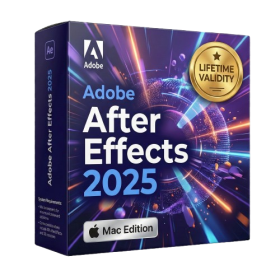
- Render previews faster with native optimization for Apple Silicon (M1/M2/M3).
- Import and animate 3D models (GLB/GLTF) directly in the timeline.
- Isolate moving subjects instantly using the AI-powered Roto Brush 3.
- Preview and export simultaneously with high-speed Multi-Frame Rendering.
- Adjust layer settings quickly via the context-sensitive Properties Panel.
- Create realistic lighting and shadows with the native Advanced 3D renderer.
- Collaborate and review edits seamlessly with built-in Frame.io integration.
- AUTOMATIC DELIVERY INSTANTLY ON REGISTERED EMAIL .
- Any Installation Problem Freely Contact Us(Will Give You Support)
- Lifetime Validity
- Windows Version
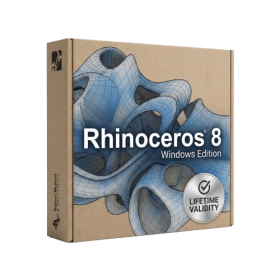
- Create watertight meshes instantly for 3D printing with the new ShrinkWrap tool.
- Generate dynamic 2D sections and plans directly from 3D models with ClippingDrawings.
- Model organic shapes with greater precision using supported SubD creases.
- Manipulate geometry intuitively with the new customized Auto Gumball.
- Extrude and modify faces instantly using the direct PushPull workflow.
- Render scenes significantly faster with the optimized Cycles engine.
- Customize the modernized interface to match your specific drafting workflow.
- AUTOMATIC DELIVERY INSTANTLY ON REGISTERED EMAIL .
- Any Installation Problem Freely Contact Us(Will Give You Support)
- Lifetime Validity
- Windows Version
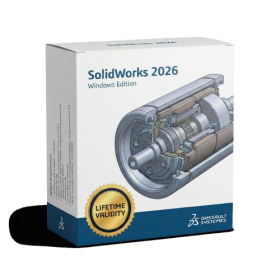
- Automate assembly mates instantly with AI-powered fastener recognition.
- Generate complete 2D drawings from 3D models automatically with AI tools.
- Split component configurations into separate files in batches seamlessly.
- Skip unnecessary rebuilds for cosmetic changes to speed up large assemblies.
- Create reference points precisely using global XYZ coordinate values.
- Import massive neutral files in the background while you continue working.
- Render photorealistic images directly within the interface without switching apps.
- Lifetime Validity
- Instant Delivery on Email
- Any Installation Problem Freely Contact Us(Will Give You Support)
- Supported on Windows 10,11
- Pre-Activated for Lifetime Validity
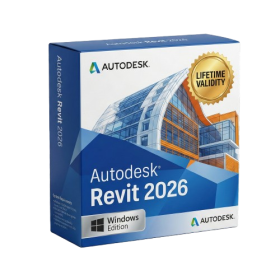
- Streamline your modeling workflows by working directly in perspective views.
- When you import or link certain items into a model, you can apply tags to these items.
- Use the Split Element tool on structural columns and framing elements
- To ensure that structural connections from this application adhere to the latest standards
- Resize runs of corresponding fabrication parts using the Properties palette or the Edit Parts dialog.
- AUTOMATIC DELIVERY INSTANTLY ON REGISTERED EMAIL .
- Any Installation Problem Freely Contact Us(Will Give You Support)
- Lifetime Validity
- Windows Version
- AI Smart Blocks: Automatically detects repeated objects in your drawing and converts them into blocks to save time.
- Activity Insights: detailed event logs that track file history, version changes, and user edits.
- Markup Assist: Imports hand-drawn revisions from photos or PDFs directly into your CAD layers.
- Performance Boost: Opens large 2D and 3D files up to 11x faster than previous versions.
- Connected Support Files: Automatically syncs project standards (fonts, templates) from the cloud for the whole team.
- Web & Mobile: Includes access to AutoCAD on web browsers and mobile devices for on-site editing.
- Specialized Toolsets: Comes with 7 industry-specific toolkits (Architecture, Electrical, MEP, etc.) included.
- 3D Graphics: Improved 3D engine for smoother navigation and rendering of complex models.