
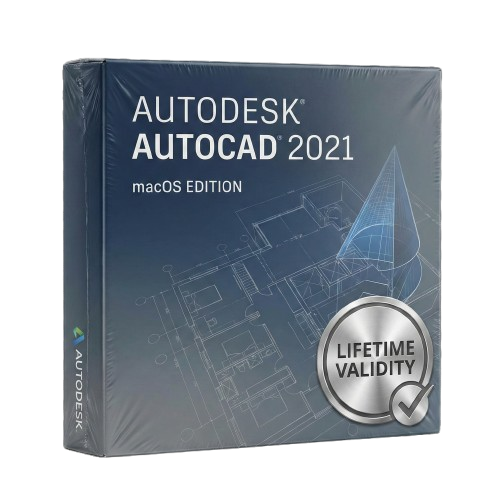
AutoCAD 2021 macOs for Lifetime
- Lifetime Validity
- Instant Delivery on Email
- Supported on All Apple Mac Systems
- Any Installation Problem Freely Contact Us(Will Give You Support)
- Compare changes in external references instantly with the new Xref Compare tool.
- Remove unused items and understand errors with the redesigned Purge feature.
- Display measurements instantly just by hovering your mouse with Quick Measure.
- Navigate drawings naturally using multi-touch trackpad gestures like pinch-to-zoom.
- Access common commands rapidly via the customizable MacBook Pro Touch Bar.
- Optimize your workspace with the new undockable, floating Command Line.
- Trim and extend objects faster with the streamlined Quick Mode default.
Original price was: ₹999.00.₹499.00Current price is: ₹499.00.
Autodesk AutoCAD 2021 (Mac): Professional Precision, Native Mac Experience
AutoCAD 2021 for Mac combines the world’s most powerful CAD software with an interface designed specifically for Apple users. Unlike the Windows version, this isn’t just a port—it’s a tool built to feel at home on macOS, utilizing features like the Touch Bar, Multi-Touch Gestures, and Split View to make your design workflow intuitive and fluid.
Whether you are designing architectural plans or mechanical parts, AutoCAD 2021 for Mac delivers the 100% DWG compatibility you need to collaborate with Windows-based colleagues, while giving you the sleek, palette-based interface you love.
What’s New in AutoCAD 2021 for Mac?
1. Xref Compare
Collaborate without confusion.
- The Feature: Compare two versions of an external reference file (Xref) directly within your current drawing.
- The Benefit: If an engineer updates a structural Xref, you can instantly see what changed (highlighted in color) without leaving your architectural plan.
2. Purge Redesign
Clean up your drawings with intelligence.
- The Feature: The Purge command has been completely overhauled. It not only helps you reduce file size by removing unused items but also explains why certain items (like layers or blocks) cannot be purged.
- The Benefit: No more guessing games. You can find the non-purgeable object instantly and fix it.
3. Floating Command Line
A fan-favorite feature returns.
- The Feature: You can now undock the command line and place it anywhere on your screen. It creates a cleaner, more immersive workspace, allowing you to focus on the design while keeping your command history visible when needed.
4. Simplified Trim & Extend
- Quick Mode: The default mode now automatically selects all potential boundaries. You can trim or extend objects simply by clicking on them or dragging your cursor across them—no need to manually select cutting edges first.
Designed Exclusively for Mac
This version leverages the unique hardware and software capabilities of your Mac.
- Touch Bar Support: Access your most-used commands (like Line, Polyline, Dimension) instantly from the MacBook Pro Touch Bar.
- Multi-Touch Gestures: Use your trackpad to pinch-to-zoom and two-finger pan, navigating your drawings as naturally as you would on an iPad.
- Split View: Run AutoCAD side-by-side with another app (like Excel or Safari) in full screen to multitask efficiently.
- Cover Flow Navigation: Visually flip through your open drawings to find the right file faster.
Key Features
Cloud Connectivity
- Google Drive & Dropbox: Open DWG files directly from your cloud storage providers. Edits are saved back to the cloud automatically, ensuring you can access your work from AutoCAD Web or Mobile on the go.
Blocks Palette
- Sync Across Devices: Your block libraries are now cloud-synced. Insert your standard blocks from your desktop Mac, or access them from a browser on a different computer via the AutoCAD Web App.
System Requirements (Mac)
- Operating System: macOS Big Sur (v11), macOS Catalina (v10.15), macOS Mojave (v10.14), or macOS High Sierra (v10.13).
- Model: Apple Mac Pro 4.1, MacBook Pro 5.1, iMac 8.1, Mac mini 3.1, MacBook Air, MacBook 5.1 or later.
- Processor: 64-bit Intel CPU (Core i7 Recommended). Compatible with M1/M2 Macs via Rosetta 2.
- Memory (RAM): 4 GB (8 GB or higher recommended).
- Graphics: Mac native installed graphics cards (Metal Graphics Engine support recommended).
- Disk Space: 3 GB free disk space.
- Display: 1280 x 800 (Retina Display 2880 x 1800 recommended).
Related Products
- AUTOMATIC DELIVERY INSTANTLY ON REGISTERED EMAIL .
- Any Installation Problem Freely Contact Us(Will Give You Support)
- Lifetime Validity
- Windows Version
- Explore massive 3D scenes in 100% ray-traced real-time without waiting for renders.
- Sync changes instantly from 3ds Max, SketchUp, Rhino, and Revit via Live Link.
- Render photorealistic animations at lightning speeds using NVIDIA DLSS 3.5 support.
- Populate environments with millions of objects using the built-in Chaos Scatter tool.
- Switch between different lighting setups, materials, and moods instantly with Scene States.
- Visualize complex animated characters and deformable meshes perfectly in real-time.
- AUTOMATIC DELIVERY INSTANTLY ON REGISTERED EMAIL .
- Any Installation Problem Freely Contact Us(Will Give You Support)
- Lifetime Validity
- Windows Version
- Place blocks automatically based on past usage patterns with AI-powered Smart Blocks.
- Track file changes and user history seamlessly via the Activity Insights dashboard.
- Import and auto-implement redline feedback directly from PDFs or printed paper.
- Experience significantly faster 2D graphics rendering and layout switching speeds.
- Run AutoLISP routines directly within the AutoCAD Web browser app.
- Count instances of objects or blocks instantly in a specified area.
- View multiple drawing files simultaneously with flexible, multi-monitor floating windows.
- Add design notes safely using the non-destructive Trace overlay layer.
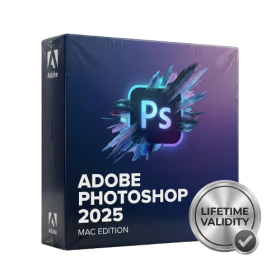
- Lifetime Validity
- Instant Delivery on Email
- Any Installation Problem Freely Contact Us(Will Give You Support)
- Supported on all Apple Mac Products
- Pre-Activated for Lifetime Validity
Adobe Photoshop is the industry-leading digital image editing and design application that offers the tools to create anything you can imagine.
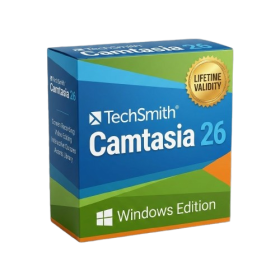
- AUTOMATIC DELIVERY INSTANTLY ON REGISTERED EMAIL .
- Any Installation Problem Freely Contact Us(Will Give You Support)
- Lifetime Validity
- Windows Version
- Edit video content as easily as a text document with the AI-powered text-based editing workflow.
- Instantly remove or replace video backgrounds without a green screen using dynamic AI masking.
- Automatically generate and sync accurate captions and subtitles from your voiceover in seconds.
- Smooth out jerky mouse movements and customize cursor paths with advanced cursor effects.
- Record high-resolution 4K screen capture, webcam, and system audio simultaneously.
- Clean up background noise and balance vocal levels instantly with AI-enhanced audio filters.
- Access a vast library of royalty-free intros, motion graphics, and music directly within the editor.
- Engage viewers by adding interactive quizzes and clickable hotspots directly to your videos.
- Apply professional animations and behaviors to text and images with simple drag-and-drop actions.
- Export videos faster than ever with optimized GPU acceleration for modern hardware.
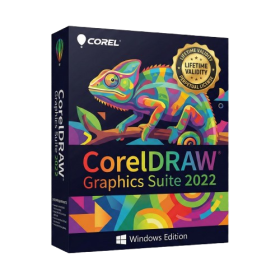
- AUTOMATIC DELIVERY INSTANTLY ON REGISTERED EMAIL .
- Any Installation Problem Freely Contact Us(Will Give You Support)
- Lifetime Validity
- Windows Version
- Edit photos faster with non-destructive adjustments and a reimagined effects stack in Corel PHOTO-PAINT.
- View, manage, and move assets across all document pages simultaneously with the dynamic Multipage View.
- Gather real-time feedback from clients and colleagues directly inside your design file via cloud comments.
- Convert low-quality bitmap images into scalable vector graphics instantly with AI-powered PowerTRACE.
- Access and use Google Fonts directly within the font manager without manual installation.
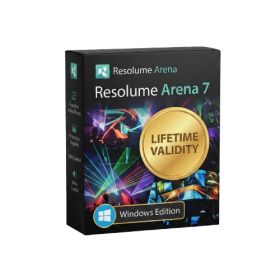
- AUTOMATIC DELIVERY INSTANTLY ON REGISTERED EMAIL .
- Any Installation Problem Freely Contact Us(Will Give You Support)
- Lifetime Validity
- Windows Version
- Map video onto complex geometric structures and surfaces with advanced projection mapping tools.
- Stitch multiple projectors into a single seamless widescreen image with soft edge blending.
- Sync video with lighting fixtures using DMX input and advanced LED pixel mapping.
- Lock your visuals perfectly to show tracks and DJ sets using SMPTE timecode input.
- Mix unlimited layers of video, effects, and generative content in real-time.
- Correct mistakes instantly during live setup with the fully integrated Undo/Redo feature.
- AUTOMATIC DELIVERY INSTANTLY ON REGISTERED EMAIL .
- Any Installation Problem Freely Contact Us(Will Give You Support)
- Lifetime Validity
- Windows Version
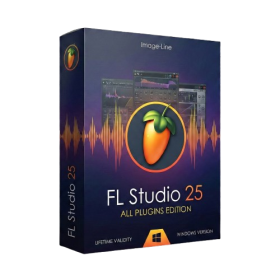
- Includes Everything: Every native plugin Image-Line sells (Synths, Effects, Tools).
- Massive Library: Comes with Harmor, Sytrus, Gross Beat, and the new Kepler Exo.
- Dynamic Mixing: Expand your mixer up to 500 tracks with the new 2025 engine
- Stem Separation: Split any song into Drums, Bass, Vocals, and Instruments instantly.
- Audio Editing: Edit pitch and time directly in the playlist with Newtone.
- Visualizers: Render 4K videos for social media with ZGameEditor Visualizer.
- Controller Support: Plug-and-play compatibility with virtually any MIDI controller.
- AUTOMATIC DELIVERY INSTANTLY ON REGISTERED EMAIL .
- Any Installation Problem Freely Contact Us(Will Give You Support)
- Lifetime Validity
- Windows Version
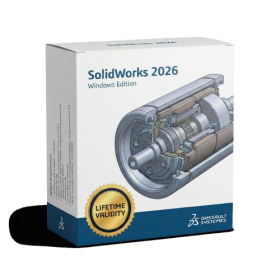
- Automate assembly mates instantly with AI-powered fastener recognition.
- Generate complete 2D drawings from 3D models automatically with AI tools.
- Split component configurations into separate files in batches seamlessly.
- Skip unnecessary rebuilds for cosmetic changes to speed up large assemblies.
- Create reference points precisely using global XYZ coordinate values.
- Import massive neutral files in the background while you continue working.
- Render photorealistic images directly within the interface without switching apps.
- AUTOMATIC DELIVERY INSTANTLY ON REGISTERED EMAIL .
- Any Installation Problem Freely Contact Us(Will Give You Support)
- Lifetime Validity
- Windows Version
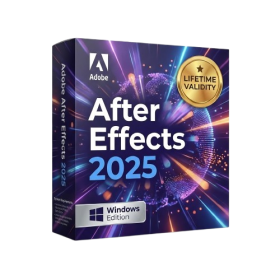
- Import and animate 3D models (GLB/GLTF) natively without external plugins.
- Isolate moving subjects instantly using the AI-powered Roto Brush 3.
- Access and edit key layer settings faster with the context-sensitive Properties Panel.
- Render previews and final exports simultaneously with Multi-Frame Rendering.
- Manage professional color workflows accurately with native OpenColorIO (ACES) support.
- Composite 3D objects realistically onto 2D footage using Shadow Catchers.
- Review and approve content seamlessly with the built-in Frame.io integration.
- AUTOMATIC DELIVERY INSTANTLY ON REGISTERED EMAIL .
- Any Installation Problem Freely Contact Us(Will Give You Support)
- Lifetime Validity
- Windows Version
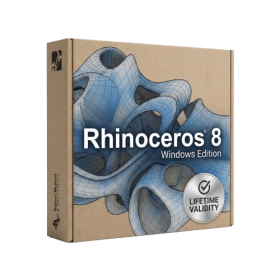
- Create watertight meshes instantly for 3D printing with the new ShrinkWrap tool.
- Generate dynamic 2D sections and plans directly from 3D models with ClippingDrawings.
- Model organic shapes with greater precision using supported SubD creases.
- Manipulate geometry intuitively with the new customized Auto Gumball.
- Extrude and modify faces instantly using the direct PushPull workflow.
- Render scenes significantly faster with the optimized Cycles engine.
- Customize the modernized interface to match your specific drafting workflow.
- Lifetime Validity
- Instant Delivery on Email
- Any Installation Problem Freely Contact Us(Will Give You Support)
- Supported on Windows 10,11
- Pre-Activated for Lifetime Validity
Adobe Photoshop is the industry-leading digital image editing and design application that offers the tools to create anything you can imagine.
- Lifetime Validity
- Instant Delivery on Email
- Supported on All Apple Mac Systems
- Any Installation Problem Freely Contact Us(Will Give You Support)
- Experience blazing speeds with native Apple Silicon (M1/M2/M3) optimization.
- Generate editable vector graphics instantly from text prompts with Firefly AI.
- Wrap vector art realistically onto objects in images with the Mockup tool.
- Identify and convert raster text into editable fonts using AI Retype.
- Recolor artwork variations instantly using simple text descriptions.
- Sketch naturally using your iPad and Apple Pencil via Sidecar support.
- Collaborate efficiently with real-time comments via Share for Review.