
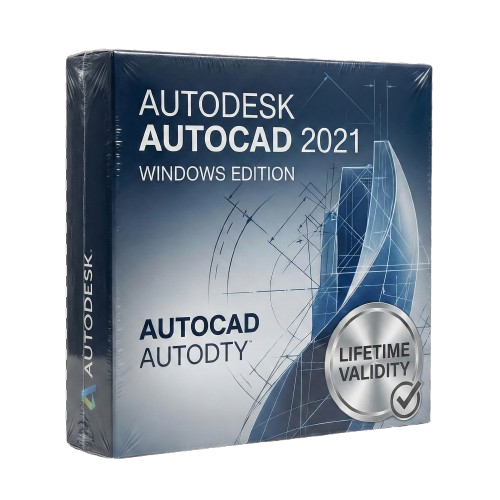
AutoCAD 2021 for Lifetime
- AUTOMATIC DELIVERY INSTANTLY ON REGISTERED EMAIL .
- Any Installation Problem Freely Contact Us(Will Give You Support)
- Lifetime Validity
- Windows Version
- View and compare previous versions of your file instantly with Drawing History.
- Identify changes in external references automatically using the Xref Compare tool.
- Display area and perimeter measurements instantly just by hovering with Quick Measure.
- Trim and extend lines significantly faster with the streamlined Quick mode default.
- Access your block libraries anywhere via the enhanced cloud-synced Blocks Palette.
- Open and save DWG files directly from Google Drive within the interface.
- Resize revision clouds easily using the new approximate arc chord length control.
Original price was: ₹999.00.₹499.00Current price is: ₹499.00.
Autodesk AutoCAD 2021 (Windows): Design with Greater Insight and Speed
AutoCAD 2021 for Windows sets a new standard for CAD software, focusing on automation and collaboration to help you work faster and more accurately. This release is built for the modern workflow, offering seamless connections between the desktop app, web app, and mobile devices.
Whether you are an architect, mechanical engineer, or construction professional, AutoCAD 2021 provides the robust 2D drafting and 3D modeling tools you need, enhanced with new features that automatically track your drawing history and visualize changes in real-time. It is the most intelligent, connected AutoCAD yet.
What’s New in AutoCAD 2021?
1. Drawing History
See the evolution of your work.
- The Feature: AutoCAD 2021 automatically tracks version history. You can compare the current version of a drawing with previous iterations side-by-side directly within the context of your current drawing.
- The Benefit: Instantly see who changed what and when, without having to hunt through file backups.
2. Xref Compare
Manage external references with confidence.
- The Feature: When an external reference (Xref) is updated, a notification appears. You can then compare the changes between the old and new Xref files without leaving your current window.
- The Benefit: Changes are highlighted with color-coded clouds, ensuring you never miss a modification from a team member or consultant.
3. Blocks Palette (Enhanced)
Access your content anywhere.
- The Feature: The Blocks palette now lets you sync your block libraries to the cloud. You can access your recent blocks from the desktop application or the AutoCAD Web App.
- The Benefit: Insert your standard title blocks, symbols, and components from any device, keeping your drawings consistent.
4. Graphics Performance
- Smoother Navigation: Pan and zoom faster in 2D. AutoCAD 2021 utilizes multi-core processors more effectively, providing a smoother experience when regenerating heavy layouts.
- 3D Performance: Experience faster orbit, pan, and zoom operations in 3D styles like “Conceptual” or “Realistic.”
Key Features
Quick Measure
- Simply hover your mouse over any area of your drawing, and AutoCAD automatically displays all nearby measurements (dimensions, angles, and areas) dynamically. It’s the fastest way to verify a drawing.
Cloud Connectivity
- Google Drive Integration: Open DWG files directly from Google Drive within AutoCAD, edit them, and save them back securely. Also supports Box, Dropbox, and OneDrive.
Streamlined Trim & Extend
- The “Quick Mode” is now the default. You can select all potential boundaries by default and trim or extend objects just by clicking on the segment you want to modify.
Why Choose the 2021 Release?
- Stability: As a mature release, AutoCAD 2021 is known for its stability and compatibility with Windows 10.
- Insight: The Drawing History feature alone saves hours of project management time by visually tracking progress.
- Eye Care: The user interface has been optimized with a darker “Dark Mode” to reduce eye strain during long drafting sessions, with sharper icons and better contrast.
System Requirements (Windows)
- Operating System: Windows 10 (64-bit only) or Windows 8.1 (64-bit).
- Processor: 2.5–2.9 GHz processor (3+ GHz recommended).
- Memory (RAM): 8 GB (16 GB recommended).
- Graphics: 1 GB GPU with 29 GB/s Bandwidth and DirectX 11 compliant (4 GB GPU recommended).
- Disk Space: 7.0 GB of available hard disk space.
- Display: 1920 x 1080 resolution with True Color.
Related Products
- Lifetime Validity
- Instant Delivery on Email
- Supported on All Apple Mac Systems
- Any Installation Problem Freely Contact Us(Will Give You Support)
- Experience blazing speeds with native Apple Silicon (M1/M2/M3) optimization.
- Generate editable vector graphics instantly from text prompts with Firefly AI.
- Wrap vector art realistically onto objects in images with the Mockup tool.
- Identify and convert raster text into editable fonts using AI Retype.
- Recolor artwork variations instantly using simple text descriptions.
- Sketch naturally using your iPad and Apple Pencil via Sidecar support.
- Collaborate efficiently with real-time comments via Share for Review.
- Lifetime Validity
- Instant Delivery on Email
- Any Installation Problem Freely Contact Us(Will Give You Support)
- Supported on Windows 10,11
- Pre-Activated for Lifetime Validity
- Streamline your modeling workflows by working directly in perspective views.
- When you import or link certain items into a model, you can apply tags to these items.
- Use the Split Element tool on structural columns and framing elements
- To ensure that structural connections from this application adhere to the latest standards
- Resize runs of corresponding fabrication parts using the Properties palette or the Edit Parts dialog.
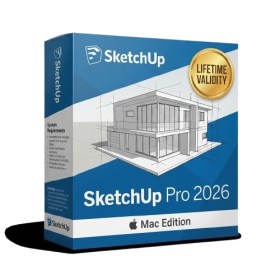
- AUTOMATIC DELIVERY INSTANTLY ON REGISTERED EMAIL .
- Any Installation Problem Freely Contact Us(Will Give You Support)
- Lifetime Validity
- Mac Version
- Run natively on Apple Silicon (M1/M2/M3) for blazing-fast performance.
- Visualize models with realistic depth using the new Ambient Occlusion engine.
- Generate unique textures instantly with integrated AI-powered prompts.
- Sync projects seamlessly between Mac, iPad, and Web versions.
- Convert iPhone LiDAR scans into 3D models automatically via Scan-to-Design.
- Create 2D documentation faster with the optimized LayOut rendering engine.
- Import and export USDZ files easily for Apple AR visualization.
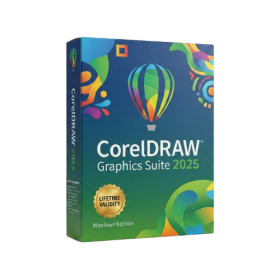
- AUTOMATIC DELIVERY INSTANTLY ON REGISTERED EMAIL .
- Any Installation Problem Freely Contact Us(Will Give You Support)
- Lifetime Validity
- Windows Version
- Painterly Brush Tool: Apply realistic, pixel-based brush strokes (like oil or chalk) to vector paths.
- Vector Illustration: Professional tools for creating logos, signage, and complex vector art.
- Page Layout: Seamlessly handle multi-page documents like brochures and manuals.
- Photo Editing: Includes Corel PHOTO-PAINT 2025 for advanced image retouching and adjustment.
- Remote Fonts: Access and use online fonts instantly without needing to install them first.
- AI PowerTRACE: Automatically converts low-quality bitmap images into crisp, scalable vectors.
- Print to PDF: Redesigned export workflow for perfect print results with better color and bleed control.
- Focus Mode: Isolate specific objects while fading the background for distraction-free editing.
- Cross-Platform: Native support for both Windows 11 and macOS Sonoma.
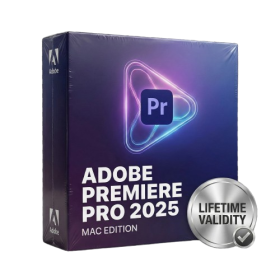
- Lifetime Validity
- Instant Delivery on Email
- Any Installation Problem Freely Contact Us(Will Give You Support)
- Supported on all Apple Mac Products
- Pre-Activated for Lifetime
- Extend short clips seamlessly using the new AI-powered Generative Extend tool.
- Remove unwanted objects or add new elements to video scenes instantly with Generative Fill.
- Edit videos rapidly by cutting and rearranging text in the auto-generated transcript.
- Clean up noisy dialogue to studio quality instantly with AI Enhanced Speech.
- Experience real-time 8K playback and fast rendering with native Apple Silicon optimization.
- Create precise audio fades visually by dragging interactive handles on the clips.
- Match colors across different cameras and HDR formats automatically with Auto Tone Mapping.
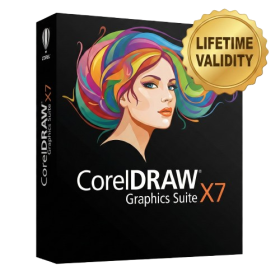
- AUTOMATIC DELIVERY INSTANTLY ON REGISTERED EMAIL .
- Any Installation Problem Freely Contact Us(Will Give You Support)
- Lifetime Validity
- Windows Version
- CorelDRAW X7 – Vector Illustration & Layout
- Corel PHOTO-PAINT X7 – Professional Photo Editing
- PowerTRACE – Convert Images to Vector
- Corel CONNECT – Search & Manage Content
- Corel CAPTURE – One-click Screenshot Tool
- Website Creator – Simple Website Building
- PhotoZoom Plugin – High-quality image enlargement
- AUTOMATIC DELIVERY INSTANTLY ON REGISTERED EMAIL .
- Any Installation Problem Freely Contact Us(Will Give You Support)
- Lifetime Validity
- Windows Version
- Generate images and vector graphics directly on the canvas with Firefly AI.
- Format long documents instantly using AI-powered Auto Style packs.
- Streamline review cycles with real-time web-based Share for Review.
- Hide specific spreads easily to exclude them from export or printing.
- Optimize PDF accessibility automatically with improved auto-tagging tools.
- Import HEIC, WebP, and JP2K image formats natively without conversion.
- Publish interactive documents to the web with built-in viewer analytics.
- Automate complex layout tasks securely using modern UXP scripting.
- AUTOMATIC DELIVERY INSTANTLY ON REGISTERED EMAIL .
- Any Installation Problem Freely Contact Us(Will Give You Support)
- Lifetime Validity
- Windows Version
- Includes Everything: Every native plugin Image-Line sells (Synths, Effects, Tools).
- Massive Library: Comes with Harmor, Sytrus, Gross Beat, and the new Kepler Exo.
- Dynamic Mixing: Expand your mixer up to 500 tracks with the new 2025 engine
- Stem Separation: Split any song into Drums, Bass, Vocals, and Instruments instantly.
- Audio Editing: Edit pitch and time directly in the playlist with Newtone.
- Visualizers: Render 4K videos for social media with ZGameEditor Visualizer.
- Controller Support: Plug-and-play compatibility with virtually any MIDI controller.
- AUTOMATIC DELIVERY INSTANTLY ON REGISTERED EMAIL .
- Any Installation Problem Freely Contact Us(Will Give You Support)
- Lifetime Validity
- Windows Version
- Import and animate 3D models (GLB/GLTF) natively without external plugins.
- Isolate moving subjects instantly using the AI-powered Roto Brush 3.
- Access and edit key layer settings faster with the context-sensitive Properties Panel.
- Render previews and final exports simultaneously with Multi-Frame Rendering.
- Manage professional color workflows accurately with native OpenColorIO (ACES) support.
- Composite 3D objects realistically onto 2D footage using Shadow Catchers.
- Review and approve content seamlessly with the built-in Frame.io integration.
- AUTOMATIC DELIVERY INSTANTLY ON REGISTERED EMAIL .
- Any Installation Problem Freely Contact Us(Will Give You Support)
- Lifetime Validity
- Windows Version
- Map video onto complex geometric structures and surfaces with advanced projection mapping tools.
- Stitch multiple projectors into a single seamless widescreen image with soft edge blending.
- Sync video with lighting fixtures using DMX input and advanced LED pixel mapping.
- Lock your visuals perfectly to show tracks and DJ sets using SMPTE timecode input.
- Mix unlimited layers of video, effects, and generative content in real-time.
- Correct mistakes instantly during live setup with the fully integrated Undo/Redo feature.
- AUTOMATIC DELIVERY INSTANTLY ON REGISTERED EMAIL .
- Any Installation Problem Freely Contact Us(Will Give You Support)
- Lifetime Validity
- Windows Version
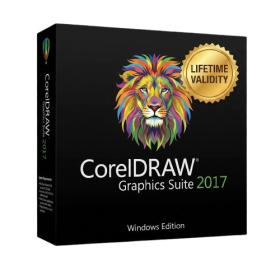
- Convert freehand sketches into precise vector curves instantly with the revolutionary AI-powered LiveSketch tool.
- Design naturally using advanced support for stylus devices, touchscreens, and the Microsoft Surface Dial.
- Enjoy a crisp, scalable workspace with native support for Ultra HD 5K monitors and multi-screen setups.
- Remove imperfections from photos seamlessly using the advanced Healing Clone tool in Corel PHOTO-PAINT.
- Manipulate nodes and curves more efficiently with revamped vector shaping and editing tools.
- Organize and find the perfect typeface quickly with the enhanced filtering in Corel Font Manager.
- Lifetime Validity
- Instant Delivery on Email
- Any Installation Problem Freely Contact Us(Will Give You Support)
- Supported on Windows 10,11
- Pre-Activated for Lifetime Validity
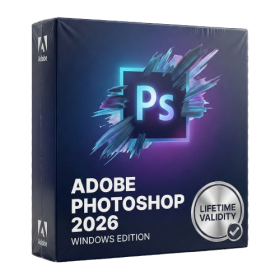
- Frame Tool for easy masking
- Content-Aware Fill reimagined
- New multiple undo mode
- Usability improvements
- Transform proportionally by default
- Prevent accidental panel moves with Lock Workspace