
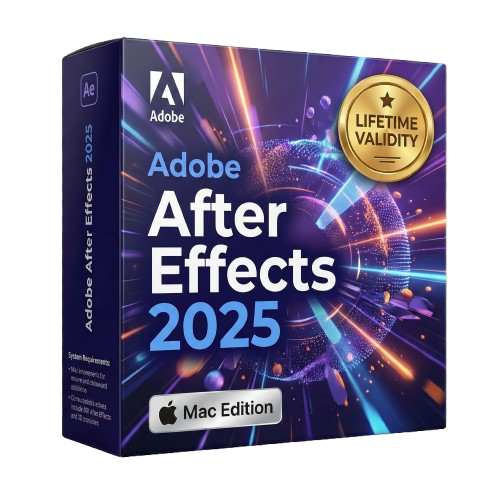
Adobe After Effects 2025 macOS for Lifetime
- Lifetime Validity
- Instant Delivery on Email
- Supported on All Apple Mac Systems
- Any Installation Problem Freely Contact Us(Will Give You Support)
- Render previews faster with native optimization for Apple Silicon (M1/M2/M3).
- Import and animate 3D models (GLB/GLTF) directly in the timeline.
- Isolate moving subjects instantly using the AI-powered Roto Brush 3.
- Preview and export simultaneously with high-speed Multi-Frame Rendering.
- Adjust layer settings quickly via the context-sensitive Properties Panel.
- Create realistic lighting and shadows with the native Advanced 3D renderer.
- Collaborate and review edits seamlessly with built-in Frame.io integration.
Original price was: ₹999.00.₹499.00Current price is: ₹499.00.
Overview of Adobe After Effects CC for MacOS Benefits
Create animated titles, credits, and lower thirds. Start from scratch or with one of the animation presets available inside the app. There are countless ways to make your text move with After Effects, from spin to swipe to slide.
Combine videos and images to send a UFO across the sky, blur out a logo, or create an explosion—endless possibilities. There are hundreds of effects to get the look you want, from adding fog to changing colors to making it snow.
After Effects works seamlessly with other Adobe apps, creates comps, and immediately sees how they look in Premiere Pro CC with Adobe Dynamic Link. Import work from Photoshop, Illustrator, Illustrator, Illustrator, Illustrator, Illustrator, Character Animator, Adobe XD, and Animate CC. Use Team Projects to collaborate with editors no matter where they’re located. And After Effects is integrated with 300+ software and hardware partners.
Adobe offers a complete set of animation apps that work with all your ideas—and each other. Use After Effects CC to create cinematic movie titles, intros, transitions, and more; use Animate CC to create interactive vector animations for games, apps, and the web. Animate characters in real-time with Character Animator CC. And move seamlessly between them with the most comprehensive integration out there.
Overview of Adobe After Effects CC for MacOS Features
- Advanced puppet tools for mesh sculpting
- Get depth passes from native 3D elements
- Supercharge your animation flow
- Responsive Design — Time
System Requirements and Technical Details
- 64-bit CPU
- macOS 10.12 or later
- Apple M1 chip
- 4 GB of RAM (8 GB recommended)
- 4 GB of available hard disk space for installation; additional free space required during installation (cannot install on a volume that uses a case-sensitive file system or on removable flash storage devices)
- Additional disk space for disk cache (10 GB recommended)
- 1280×900 display
- DVD-ROM drive for installation from DVD media
- QuickTime 7.6.6 software required for QuickTime features
- Optional: Adobe-certified GPU card for GPU-accelerated ray-traced 3D renderer
Installation:
If you need another language:
Remove the Install folder from the DMG image before this action (to any location on your Mac and install from there) – If you need another language, before installing After Effects, go to the Install folder – products – driver.xml (right-click on it) – open in TextEdit – (at the very bottom, find the line “ru_RU” and in it, change ru_RU, for example, to en_US so that the line becomes something like “en_US”.
The program is installed in Russian.
- Remove the previous installation of After Effects (if installed)
- Use the Adobe Creative Cloud Cleaner Tool to remove all remnants of the previous After Effects
- Install Full Creative Cloud from the Extra folder
- Install After Effects itself – in the Install folder, run Install.command
- Use the Adobe Activation Tool:
RMB (on Adobe Activation Tool) -> Open
Go to the Programs folder -> Adobe After Effects (this is the folder, the program is inside)
Move After Effects to the Adobe Activation Tool window
Press the blue button
Related Products
- Lifetime Validity
- Instant Delivery on Email
- Any Installation Problem Freely Contact Us(Will Give You Support)
- Supported on Windows 10,11
- Pre-Activated for Lifetime Validity
- Streamline your modeling workflows by working directly in perspective views.
- When you import or link certain items into a model, you can apply tags to these items.
- Use the Split Element tool on structural columns and framing elements
- To ensure that structural connections from this application adhere to the latest standards
- Resize runs of corresponding fabrication parts using the Properties palette or the Edit Parts dialog.
- AUTOMATIC DELIVERY INSTANTLY ON REGISTERED EMAIL .
- Any Installation Problem Freely Contact Us(Will Give You Support)
- Lifetime Validity
- Mac Version
- Run natively on Apple Silicon (M1/M2/M3) for blazing-fast performance.
- Visualize models with realistic depth using the new Ambient Occlusion engine.
- Generate unique textures instantly with integrated AI-powered prompts.
- Sync projects seamlessly between Mac, iPad, and Web versions.
- Convert iPhone LiDAR scans into 3D models automatically via Scan-to-Design.
- Create 2D documentation faster with the optimized LayOut rendering engine.
- Import and export USDZ files easily for Apple AR visualization.
- AUTOMATIC DELIVERY INSTANTLY ON REGISTERED EMAIL .
- Any Installation Problem Freely Contact Us(Will Give You Support)
- Lifetime Validity
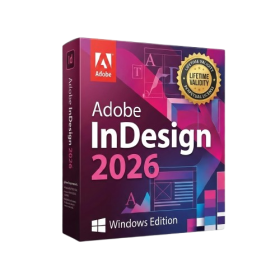
- Windows Version
- Generate images and vector graphics directly on the canvas with Firefly AI.
- Format long documents instantly using AI-powered Auto Style packs.
- Streamline review cycles with real-time web-based Share for Review.
- Hide specific spreads easily to exclude them from export or printing.
- Optimize PDF accessibility automatically with improved auto-tagging tools.
- Import HEIC, WebP, and JP2K image formats natively without conversion.
- Publish interactive documents to the web with built-in viewer analytics.
- Automate complex layout tasks securely using modern UXP scripting.
- AUTOMATIC DELIVERY INSTANTLY ON REGISTERED EMAIL .
- Any Installation Problem Freely Contact Us(Will Give You Support)
- Lifetime Validity
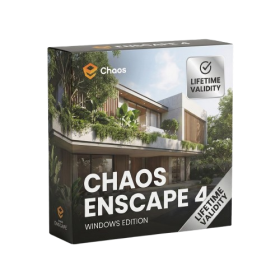
- Windows Version
- Navigate scenes with a unified, redesigned user interface for faster workflows.
- Enhance export quality instantly with the AI-powered NVIDIA Denoiser.
- Simulate realistic colored shadows for glass and transparent materials.
- Upscale textures and assets automatically using the Chaos AI Enhancer.
- Apply pencil and watercolor effects with new Artistic Visual Modes.
- Immerse clients in designs with support for Meta Quest 3 and HTC Vive.
- AUTOMATIC DELIVERY INSTANTLY ON REGISTERED EMAIL .
- Any Installation Problem Freely Contact Us(Will Give You Support)
- Lifetime Validity
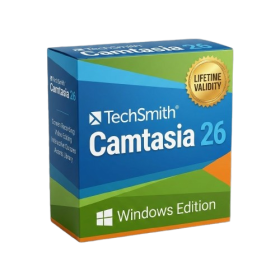
- Windows Version
- Edit video content as easily as a text document with the AI-powered text-based editing workflow.
- Instantly remove or replace video backgrounds without a green screen using dynamic AI masking.
- Automatically generate and sync accurate captions and subtitles from your voiceover in seconds.
- Smooth out jerky mouse movements and customize cursor paths with advanced cursor effects.
- Record high-resolution 4K screen capture, webcam, and system audio simultaneously.
- Clean up background noise and balance vocal levels instantly with AI-enhanced audio filters.
- Access a vast library of royalty-free intros, motion graphics, and music directly within the editor.
- Engage viewers by adding interactive quizzes and clickable hotspots directly to your videos.
- Apply professional animations and behaviors to text and images with simple drag-and-drop actions.
- Export videos faster than ever with optimized GPU acceleration for modern hardware.
- AUTOMATIC DELIVERY INSTANTLY ON REGISTERED EMAIL .
- Any Installation Problem Freely Contact Us(Will Give You Support)
- Lifetime Validity
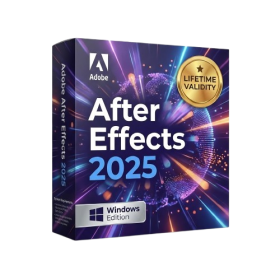
- Windows Version
- Import and animate 3D models (GLB/GLTF) natively without external plugins.
- Isolate moving subjects instantly using the AI-powered Roto Brush 3.
- Access and edit key layer settings faster with the context-sensitive Properties Panel.
- Render previews and final exports simultaneously with Multi-Frame Rendering.
- Manage professional color workflows accurately with native OpenColorIO (ACES) support.
- Composite 3D objects realistically onto 2D footage using Shadow Catchers.
- Review and approve content seamlessly with the built-in Frame.io integration.
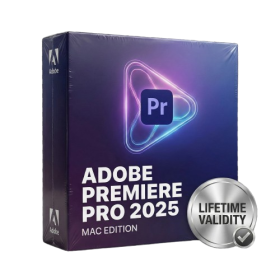
- Lifetime Validity
- Instant Delivery on Email
- Any Installation Problem Freely Contact Us(Will Give You Support)
- Supported on all Apple Mac Products
- Pre-Activated for Lifetime
- Extend short clips seamlessly using the new AI-powered Generative Extend tool.
- Remove unwanted objects or add new elements to video scenes instantly with Generative Fill.
- Edit videos rapidly by cutting and rearranging text in the auto-generated transcript.
- Clean up noisy dialogue to studio quality instantly with AI Enhanced Speech.
- Experience real-time 8K playback and fast rendering with native Apple Silicon optimization.
- Create precise audio fades visually by dragging interactive handles on the clips.
- Match colors across different cameras and HDR formats automatically with Auto Tone Mapping.
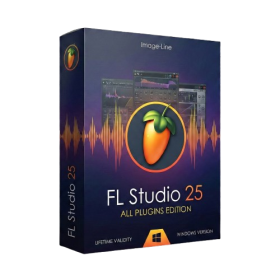
- AUTOMATIC DELIVERY INSTANTLY ON REGISTERED EMAIL .
- Any Installation Problem Freely Contact Us(Will Give You Support)
- Lifetime Validity
- Windows Version
- Includes Everything: Every native plugin Image-Line sells (Synths, Effects, Tools).
- Massive Library: Comes with Harmor, Sytrus, Gross Beat, and the new Kepler Exo.
- Dynamic Mixing: Expand your mixer up to 500 tracks with the new 2025 engine
- Stem Separation: Split any song into Drums, Bass, Vocals, and Instruments instantly.
- Audio Editing: Edit pitch and time directly in the playlist with Newtone.
- Visualizers: Render 4K videos for social media with ZGameEditor Visualizer.
- Controller Support: Plug-and-play compatibility with virtually any MIDI controller.
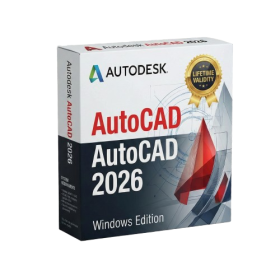
- AUTOMATIC DELIVERY INSTANTLY ON REGISTERED EMAIL .
- Any Installation Problem Freely Contact Us(Will Give You Support)
- Lifetime Validity
- Windows Version
- AI Smart Blocks: Automatically detects repeated objects in your drawing and converts them into blocks to save time.
- Activity Insights: detailed event logs that track file history, version changes, and user edits.
- Markup Assist: Imports hand-drawn revisions from photos or PDFs directly into your CAD layers.
- Performance Boost: Opens large 2D and 3D files up to 11x faster than previous versions.
- Connected Support Files: Automatically syncs project standards (fonts, templates) from the cloud for the whole team.
- Web & Mobile: Includes access to AutoCAD on web browsers and mobile devices for on-site editing.
- Specialized Toolsets: Comes with 7 industry-specific toolkits (Architecture, Electrical, MEP, etc.) included.
- 3D Graphics: Improved 3D engine for smoother navigation and rendering of complex models.
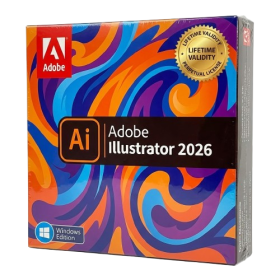
- AUTOMATIC DELIVERY INSTANTLY ON REGISTERED EMAIL .
- Any Installation Problem Freely Contact Us(Will Give You Support)
- Lifetime Validity
- Windows Version
- Create smoother, band-free color transitions with new gradient dithering and perceptual blending modes.
- Rotate 2D vector artwork in 3D space to explore dynamic angles with the innovative Turntable tool.
- Identify fonts from raster images or outlined text instantly using the AI-powered Retype feature.
- Organize files and collaborate seamlessly with team members using the new shared Projects workspace.
- Snap objects precisely to path tangents and perpendicular points with enhanced smart snapping tools.
- Wrap vector graphics automatically onto images of real-world objects with the realistic Mockup tool.


- AUTOMATIC DELIVERY INSTANTLY ON REGISTERED EMAIL .
- Any Installation Problem Freely Contact Us(Will Give You Support)
- Lifetime Validity
- Windows Version
- CorelDRAW X7 – Vector Illustration & Layout
- Corel PHOTO-PAINT X7 – Professional Photo Editing
- PowerTRACE – Convert Images to Vector
- Corel CONNECT – Search & Manage Content
- Corel CAPTURE – One-click Screenshot Tool
- Website Creator – Simple Website Building
- PhotoZoom Plugin – High-quality image enlargement