
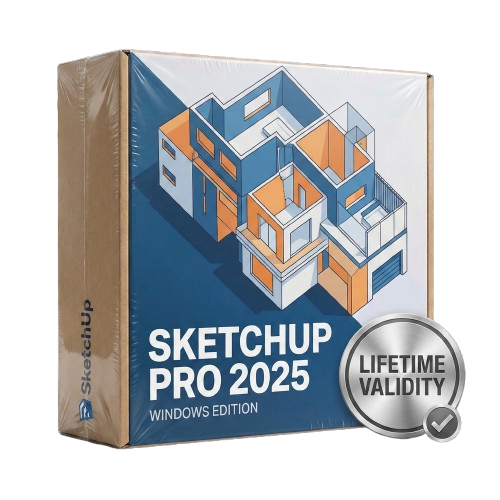
SketchUp Pro 2025 for Lifetime
- AUTOMATIC DELIVERY INSTANTLY ON REGISTERED EMAIL .
- Any Installation Problem Freely Contact Us(Will Give You Support)
- Lifetime Validity
- Windows Version
- Visualize models with realistic shading and depth using the new Ambient Occlusion engine.
- Import and export IFC files faster with enhanced openBIM interoperability.
- Find and execute any command instantly using the integrated Smart Search tool.
- Generate unique textures and styles quickly with AI-powered Diffusion graphics.
- Collaborate in real-time by syncing models seamlessly with Trimble Connect.
- Create 2D documentation efficiently with the optimized LayOut rendering engine.
- Import complex Revit files accurately with the lightweight Revit Importer.
- Organize geometry effortlessly using the modernized Tag management system.
Original price was: ₹999.00.₹499.00Current price is: ₹499.00.
Product Overview
SketchUp Pro 2025 (Windows): The World’s Most Intuitive 3D Modeler, Now Faster & Smarter
SketchUp Pro 2025 for Windows is the ultimate 3D modeling tool for architects, interior designers, and makers who need to visualize ideas quickly and document them precisely. Known for its “push/pull” simplicity, this 2025 release supercharges your workflow with a completely overhauled Graphics Engine and built-in AI visualization tools.
Whether you are designing a custom furniture piece or a multi-story building, SketchUp 2025 helps you communicate your vision with stunning clarity. With the new Ambient Occlusion style, your models gain instant depth and realism directly in the viewport, removing the need for heavy rendering software during the concept phase.
What’s New in SketchUp 2025?
1. New Graphics Engine & Ambient Occlusion
Experience a visual revolution without leaving the modeling window.
- Ambient Occlusion: automatically adds visual emphasis to corners and edges, giving your clay models realistic depth and shadow interaction. It makes 2D drawings look like 3D illustrations instantly.
- Performance: The new engine is optimized for modern hardware, allowing you to navigate complex models with high polygon counts smoother than ever before.
2. SketchUp Diffusion (AI Integration)
Turn basic shapes into photorealistic concepts in seconds.
- Text-to-Image: Type a prompt like “Modern sustainable timber cabin in a forest,” and SketchUp’s AI will texture and render your active view to match the description.
- Style Transfer: Overlay different artistic styles or material moods onto your geometry to explore options with clients instantly.
3. Add Location & Terrain
The “Add Location” tool has been rebuilt. You can now import high-density terrain data and high-resolution satellite imagery with greater precision, making site analysis and context modeling significantly easier.
4. Revit Importer
Collaborate better with engineering teams. The native Revit Importer converts complex Revit families into lightweight SketchUp components, preserving materials and tags so you can start designing immediately without hours of cleanup.
Key Features
Professional Documentation (LayOut)
SketchUp Pro includes LayOut, the powerful 2D documentation tool.
- Version 2025 Updates: LayOut is now faster and more responsive. It behaves more like a modern vector illustration tool, with improved inferencing and non-destructive graphic controls.
- Linked Viewports: Changes made in your 3D SketchUp model update automatically in your 2D LayOut sheets.
Ecosystem & Interoperability
- Scan-to-Design: If you have an iPad, scan a room with the LiDAR scanner and import it directly into SketchUp Pro on Windows as a clean 3D model.
- Extension Warehouse: Access hundreds of free and premium plugins to automate roof framing, flatten faces, or bend geometry.
- PreDesign: Get climate insights before you start modeling. Understand shading, daylighting, and glazing recommendations based on your project’s exact geolocated coordinates.
Why Upgrade to the 2025 Release?
- Visuals: The Ambient Occlusion style allows you to present beautiful, readable client presentations directly from the viewport without needing V-Ray or Enscape for every meeting.
- Speed: The graphics engine overhaul resolves the “lag” often felt in previous versions when handling large files.
- AI: Diffusion allows for rapid iteration of “look and feel” concepts that previously took hours to texture manually.
System Requirements (Windows)
- Operating System: Windows 11 or Windows 10 (Version 21H2 or newer).
- Processor: 2.1+ GHz Intel or AMD processor (2.8+ GHz recommended).
- RAM: 8 GB RAM (16 GB or more recommended).
- Graphics: Discrete Graphics card with 1 GB+ VRAM and OpenGL 4.6 support (RTX 3060 or higher recommended for best performance).
- Storage: 2 GB of available hard-disk space.
- Internet: Required for installation, authorization, and some AI features.
Related Products
- Lifetime Validity
- Instant Delivery on Email
- Any Installation Problem Freely Contact Us(Will Give You Support)
- Supported on all Apple Mac Products
- Pre-Activated for Lifetime Validity
Adobe Photoshop is the industry-leading digital image editing and design application that offers the tools to create anything you can imagine.
- AUTOMATIC DELIVERY INSTANTLY ON REGISTERED EMAIL .
- Any Installation Problem Freely Contact Us(Will Give You Support)
- Lifetime Validity
- Mac Version
- Run natively on Apple Silicon (M1/M2/M3) for blazing-fast performance.
- Visualize models with realistic depth using the new Ambient Occlusion engine.
- Generate unique textures instantly with integrated AI-powered prompts.
- Sync projects seamlessly between Mac, iPad, and Web versions.
- Convert iPhone LiDAR scans into 3D models automatically via Scan-to-Design.
- Create 2D documentation faster with the optimized LayOut rendering engine.
- Import and export USDZ files easily for Apple AR visualization.
- AUTOMATIC DELIVERY INSTANTLY ON REGISTERED EMAIL .
- Any Installation Problem Freely Contact Us(Will Give You Support)
- Lifetime Validity
- Windows Version
- AI Smart Blocks: Automatically detects repeated objects in your drawing and converts them into blocks to save time.
- Activity Insights: detailed event logs that track file history, version changes, and user edits.
- Markup Assist: Imports hand-drawn revisions from photos or PDFs directly into your CAD layers.
- Performance Boost: Opens large 2D and 3D files up to 11x faster than previous versions.
- Connected Support Files: Automatically syncs project standards (fonts, templates) from the cloud for the whole team.
- Web & Mobile: Includes access to AutoCAD on web browsers and mobile devices for on-site editing.
- Specialized Toolsets: Comes with 7 industry-specific toolkits (Architecture, Electrical, MEP, etc.) included.
- 3D Graphics: Improved 3D engine for smoother navigation and rendering of complex models.
- AUTOMATIC DELIVERY INSTANTLY ON REGISTERED EMAIL .
- Any Installation Problem Freely Contact Us(Will Give You Support)
- Lifetime Validity
- Windows Version
- Generate images and vector graphics directly on the canvas with Firefly AI.
- Format long documents instantly using AI-powered Auto Style packs.
- Streamline review cycles with real-time web-based Share for Review.
- Hide specific spreads easily to exclude them from export or printing.
- Optimize PDF accessibility automatically with improved auto-tagging tools.
- Import HEIC, WebP, and JP2K image formats natively without conversion.
- Publish interactive documents to the web with built-in viewer analytics.
- Automate complex layout tasks securely using modern UXP scripting.
- Lifetime Validity
- Instant Delivery on Email
- Any Installation Problem Freely Contact Us(Will Give You Support)
- Supported on Windows 10,11
- Pre-Activated for Lifetime Validity
Adobe Photoshop is the industry-leading digital image editing and design application that offers the tools to create anything you can imagine.
- AUTOMATIC DELIVERY INSTANTLY ON REGISTERED EMAIL .
- Any Installation Problem Freely Contact Us(Will Give You Support)
- Lifetime Validity
- Windows Version
- Create smoother, band-free color transitions with new gradient dithering and perceptual blending modes.
- Rotate 2D vector artwork in 3D space to explore dynamic angles with the innovative Turntable tool.
- Identify fonts from raster images or outlined text instantly using the AI-powered Retype feature.
- Organize files and collaborate seamlessly with team members using the new shared Projects workspace.
- Snap objects precisely to path tangents and perpendicular points with enhanced smart snapping tools.
- Wrap vector graphics automatically onto images of real-world objects with the realistic Mockup tool.
- AUTOMATIC DELIVERY INSTANTLY ON REGISTERED EMAIL .
- Any Installation Problem Freely Contact Us(Will Give You Support)
- Lifetime Validity
- Windows Version
- Edit video content as easily as a text document with the AI-powered text-based editing workflow.
- Instantly remove or replace video backgrounds without a green screen using dynamic AI masking.
- Automatically generate and sync accurate captions and subtitles from your voiceover in seconds.
- Smooth out jerky mouse movements and customize cursor paths with advanced cursor effects.
- Record high-resolution 4K screen capture, webcam, and system audio simultaneously.
- Clean up background noise and balance vocal levels instantly with AI-enhanced audio filters.
- Access a vast library of royalty-free intros, motion graphics, and music directly within the editor.
- Engage viewers by adding interactive quizzes and clickable hotspots directly to your videos.
- Apply professional animations and behaviors to text and images with simple drag-and-drop actions.
- Export videos faster than ever with optimized GPU acceleration for modern hardware.
- AUTOMATIC DELIVERY INSTANTLY ON REGISTERED EMAIL .
- Any Installation Problem Freely Contact Us(Will Give You Support)
- Lifetime Validity
- Windows Version
- Import and animate 3D models (GLB/GLTF) natively without external plugins.
- Isolate moving subjects instantly using the AI-powered Roto Brush 3.
- Access and edit key layer settings faster with the context-sensitive Properties Panel.
- Render previews and final exports simultaneously with Multi-Frame Rendering.
- Manage professional color workflows accurately with native OpenColorIO (ACES) support.
- Composite 3D objects realistically onto 2D footage using Shadow Catchers.
- Review and approve content seamlessly with the built-in Frame.io integration.
- AUTOMATIC DELIVERY INSTANTLY ON REGISTERED EMAIL .
- Any Installation Problem Freely Contact Us(Will Give You Support)
- Lifetime Validity
- Windows Version
- Place blocks automatically based on past usage patterns with AI-powered Smart Blocks.
- Track file changes and user history seamlessly via the Activity Insights dashboard.
- Import and auto-implement redline feedback directly from PDFs or printed paper.
- Experience significantly faster 2D graphics rendering and layout switching speeds.
- Run AutoLISP routines directly within the AutoCAD Web browser app.
- Count instances of objects or blocks instantly in a specified area.
- View multiple drawing files simultaneously with flexible, multi-monitor floating windows.
- Add design notes safely using the non-destructive Trace overlay layer.
- AUTOMATIC DELIVERY INSTANTLY ON REGISTERED EMAIL .
- Any Installation Problem Freely Contact Us(Will Give You Support)
- Lifetime Validity
- Windows Version
- Convert freehand sketches into precise vector curves instantly with the revolutionary AI-powered LiveSketch tool.
- Design naturally using advanced support for stylus devices, touchscreens, and the Microsoft Surface Dial.
- Enjoy a crisp, scalable workspace with native support for Ultra HD 5K monitors and multi-screen setups.
- Remove imperfections from photos seamlessly using the advanced Healing Clone tool in Corel PHOTO-PAINT.
- Manipulate nodes and curves more efficiently with revamped vector shaping and editing tools.
- Organize and find the perfect typeface quickly with the enhanced filtering in Corel Font Manager.
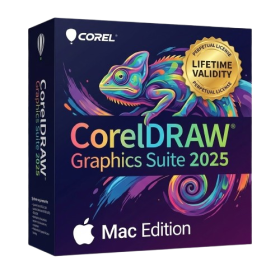
- AUTOMATIC DELIVERY INSTANTLY ON REGISTERED EMAIL .
- Any Installation Problem Freely Contact Us(Will Give You Support)
- Lifetime Validity
- Mac Version
- Apply realistic pixel-based brush strokes to vector paths with the new Painterly Brush tool.
- Experience blazing-fast performance with native optimization for Apple M1, M2, and M3 chips.
- Use your iPad as a secondary display and graphics tablet via Sidecar with full Apple Pencil support.
- Access and use online fonts instantly without manual installation using the new Remote Fonts feature.
- Isolate specific objects for distraction-free editing with the new Focus Mode.
- Convert low-quality bitmap images into crisp vectors automatically with AI-powered PowerTRACE.

- AUTOMATIC DELIVERY INSTANTLY ON REGISTERED EMAIL .
- Any Installation Problem Freely Contact Us(Will Give You Support)
- Lifetime Validity
- Windows Version
- Map video onto complex geometric structures and surfaces with advanced projection mapping tools.
- Stitch multiple projectors into a single seamless widescreen image with soft edge blending.
- Sync video with lighting fixtures using DMX input and advanced LED pixel mapping.
- Lock your visuals perfectly to show tracks and DJ sets using SMPTE timecode input.
- Mix unlimited layers of video, effects, and generative content in real-time.
- Correct mistakes instantly during live setup with the fully integrated Undo/Redo feature.