
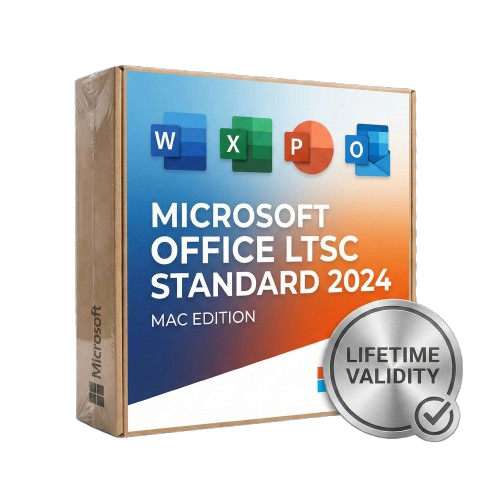
Microsoft Office LTSC Standard 2024 for Mac Lifetime
- Lifetime Validity
- Instant Delivery on Email
- Supported on All Apple Mac Systems
- Any Installation Problem Freely Contact Us(Will Give You Support)
- Secure a perpetual license with a one-time purchase and no recurring subscription.
- Experience peak performance with native optimization for Apple Silicon (M1/M2/M3).
- Find data efficiently in Excel with the powerful XLOOKUP and Dynamic Arrays.
- Insert live camera feeds directly into PowerPoint slides using the Cameo feature.
- Save documents compatible with the latest OpenDocument Format (ODF) 1.4.
- Manage email effortlessly with the streamlined and faster Outlook for Mac.
- Create accessible content easily with improved Accessibility Checker tools.
- Operate securely in offline environments without cloud connectivity requirements.
- Benefit from a fixed feature set that prevents unexpected interface changes.
Original price was: ₹999.00.₹499.00Current price is: ₹499.00.
Microsoft Office LTSC Standard 2024 (Mac): The Professional’s Perpetual Choice
Microsoft Office LTSC (Long-Term Servicing Channel) Standard 2024 for Mac is the latest perpetual release of the essential productivity suite, designed specifically for commercial and government customers who require a stable, locked-in feature set without the need for a subscription.
Built to perform seamlessly on macOS, this suite combines the classic tools you rely on—Word, Excel, PowerPoint, Outlook, and OneNote—with modern performance optimizations. It is the ideal solution for regulated devices that cannot accept frequent updates or for users who prefer a one-time purchase over the Microsoft 365 cloud model.
Why Choose Office LTSC 2024?
1. One-Time Purchase, Forever Usage
Say goodbye to monthly fees. Office LTSC 2024 is a perpetual license. You pay once and own the software for the life of your device. It receives five years of support for security and quality updates, but the feature set remains stable, ensuring your workflow never breaks due to an unexpected UI change.
2. Optimized for Apple Silicon
Office 2024 is engineered to run natively on Apple Silicon (M1, M2, and M3) processors as well as Intel-based Macs.
- Instant Launch: Apps open instantly.
- Battery Efficiency: Optimized code ensures you can work longer on your MacBook without draining the battery.
- macOS Integration: Enjoy support for macOS specific features like Continuity Camera and the native full-screen view.
3. Offline Capability
Unlike Microsoft 365, Office LTSC 2024 does not require an internet connection to function after activation. It is built for secure, offline environments where data privacy and air-gapped stability are paramount.
What’s Included?
Microsoft Word 2024
Create professional documents with confidence.
- OpenDocument Format (ODF) 1.4: Full support for the latest open standard, ensuring better compatibility with non-Microsoft software.
- Performance: Faster scrolling and smoother typing on long, complex documents.
- Accessibility: Improved accessibility checker to ensure your documents are readable by everyone.
Microsoft Excel 2024
Analyze data with speed and precision.
- Dynamic Arrays: Write one formula and return an array of values.
- XLOOKUP: Find what you need in a table or range row by row, replacing the older VLOOKUP.
- New Functions: Includes 14 new text and array functions to manipulate text and arrays in your worksheets.
- Smoother Charts: Enhanced rendering for large datasets and complex visualizations.
Microsoft PowerPoint 2024
Present like a pro.
- Cameo Integration: Insert your live camera feed directly into a PowerPoint slide. You can resize, style, and animate your camera feed just like any other object.
- Recording Studio: Record your presentation with voiceover, slide timings, and ink gestures, then export it as a video.
Microsoft Outlook 2024
Manage your communication efficiently.
- Improved Search: Find emails, contacts, and appointments faster with enhanced search filters.
- Meeting Creation: Streamlined options for scheduling meetings and managing time zones.
Microsoft OneNote 2024
- Digital Notebook: Organize your notes, research, and ideas in a free-form digital notebook that saves automatically.
LTSC 2024 vs. Microsoft 365: What’s the Difference?
It is important to understand what LTSC offers compared to the subscription version:
- No AI Copilot: LTSC does not include cloud-based AI features like Microsoft Copilot.
- No Cloud Storage: Does not include the 1TB OneDrive storage found in 365 plans.
- Static Features: You get the features available at launch. New features released by Microsoft in the future are not added to LTSC versions (only security patches).
System Requirements (Mac)
- Operating System: The three most recent versions of macOS (Sequoia, Sonoma, Ventura).
- Processor: Apple Silicon (M1/M2/M3) or Intel processor.
- RAM: 4 GB RAM.
- Disk Space: 10 GB of available disk space; HFS+ hard disk format (also known as macOS Extended) or APFS updates may require additional storage over time.
- Display: 1280 x 800 screen resolution.
Related Products
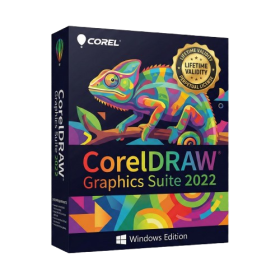
- AUTOMATIC DELIVERY INSTANTLY ON REGISTERED EMAIL .
- Any Installation Problem Freely Contact Us(Will Give You Support)
- Lifetime Validity
- Windows Version
- Edit photos faster with non-destructive adjustments and a reimagined effects stack in Corel PHOTO-PAINT.
- View, manage, and move assets across all document pages simultaneously with the dynamic Multipage View.
- Gather real-time feedback from clients and colleagues directly inside your design file via cloud comments.
- Convert low-quality bitmap images into scalable vector graphics instantly with AI-powered PowerTRACE.
- Access and use Google Fonts directly within the font manager without manual installation.
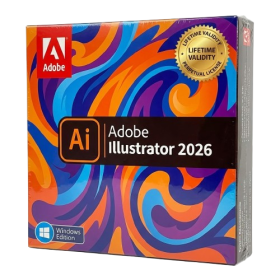
- AUTOMATIC DELIVERY INSTANTLY ON REGISTERED EMAIL .
- Any Installation Problem Freely Contact Us(Will Give You Support)
- Lifetime Validity
- Windows Version
- Create smoother, band-free color transitions with new gradient dithering and perceptual blending modes.
- Rotate 2D vector artwork in 3D space to explore dynamic angles with the innovative Turntable tool.
- Identify fonts from raster images or outlined text instantly using the AI-powered Retype feature.
- Organize files and collaborate seamlessly with team members using the new shared Projects workspace.
- Snap objects precisely to path tangents and perpendicular points with enhanced smart snapping tools.
- Wrap vector graphics automatically onto images of real-world objects with the realistic Mockup tool.
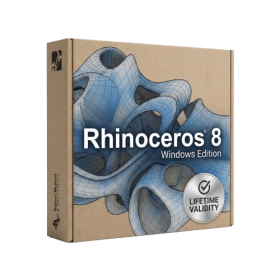
- AUTOMATIC DELIVERY INSTANTLY ON REGISTERED EMAIL .
- Any Installation Problem Freely Contact Us(Will Give You Support)
- Lifetime Validity
- Windows Version
- Create watertight meshes instantly for 3D printing with the new ShrinkWrap tool.
- Generate dynamic 2D sections and plans directly from 3D models with ClippingDrawings.
- Model organic shapes with greater precision using supported SubD creases.
- Manipulate geometry intuitively with the new customized Auto Gumball.
- Extrude and modify faces instantly using the direct PushPull workflow.
- Render scenes significantly faster with the optimized Cycles engine.
- Customize the modernized interface to match your specific drafting workflow.
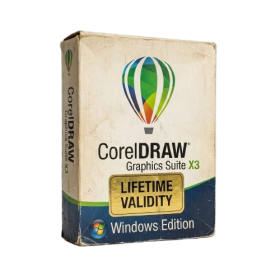
- AUTOMATIC DELIVERY INSTANTLY ON REGISTERED EMAIL .
- Any Installation Problem Freely Contact Us(Will Give You Support)
- Lifetime Validity
- Windows Version
- A complete graphic design suite combining vector illustration, page layout, and photo editing.
- Quickly convert bitmap images into editable vectors with the integrated Corel PowerTRACE.
- Apply fills to any enclosed area instantly, regardless of the object’s structure, using the Smart Fill tool.
- Adjust color and tone easily in a single interface with the Image Adjustment Lab.
- Includes Corel PHOTO-PAINT X3 for professional image retouching and bitmap creation.
- Precisely mask and remove backgrounds from photos using the intuitive Cutout Lab.
- Remove unwanted areas from objects, groups, or imported graphics with the Crop tool.
- Enhanced text handling and OpenType support provide precise control over typography.
- Add depth to your designs with interactive contour, bevel, and drop shadow tools.
- Includes a massive library of clipart, fonts, and high-quality photos for immediate use.
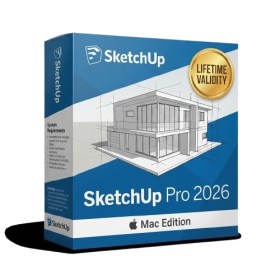
- AUTOMATIC DELIVERY INSTANTLY ON REGISTERED EMAIL .
- Any Installation Problem Freely Contact Us(Will Give You Support)
- Lifetime Validity
- Mac Version
- Run natively on Apple Silicon (M1/M2/M3) for blazing-fast performance.
- Visualize models with realistic depth using the new Ambient Occlusion engine.
- Generate unique textures instantly with integrated AI-powered prompts.
- Sync projects seamlessly between Mac, iPad, and Web versions.
- Convert iPhone LiDAR scans into 3D models automatically via Scan-to-Design.
- Create 2D documentation faster with the optimized LayOut rendering engine.
- Import and export USDZ files easily for Apple AR visualization.

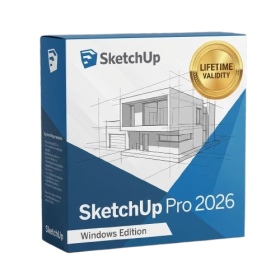
- AUTOMATIC DELIVERY INSTANTLY ON REGISTERED EMAIL .
- Any Installation Problem Freely Contact Us(Will Give You Support)
- Lifetime Validity
- Windows Version
- Visualize models with stunning depth and realism using the new graphics engine featuring native Ambient Occlusion.
- Generate unique, seamless textures instantly from simple text prompts with the integrated AI texture generator.
- Import complex Revit files accurately and efficiently with the enhanced, lighter-weight Revit Importer.
- Create 2D documentation in LayOut faster than ever with a new multi-threaded rendering engine that eliminates lag.
- Convert room scans from mobile devices automatically into clean, editable 3D geometry via Scan-to-Design.
- Collaborate in real-time by syncing projects seamlessly across Desktop, iPad, and Web versions.
- AUTOMATIC DELIVERY INSTANTLY ON REGISTERED EMAIL .
- Any Installation Problem Freely Contact Us(Will Give You Support)
- Lifetime Validity
- Windows Version
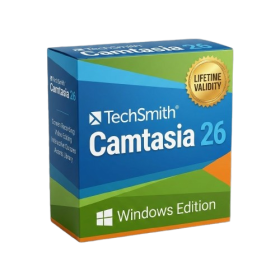
- Edit video content as easily as a text document with the AI-powered text-based editing workflow.
- Instantly remove or replace video backgrounds without a green screen using dynamic AI masking.
- Automatically generate and sync accurate captions and subtitles from your voiceover in seconds.
- Smooth out jerky mouse movements and customize cursor paths with advanced cursor effects.
- Record high-resolution 4K screen capture, webcam, and system audio simultaneously.
- Clean up background noise and balance vocal levels instantly with AI-enhanced audio filters.
- Access a vast library of royalty-free intros, motion graphics, and music directly within the editor.
- Engage viewers by adding interactive quizzes and clickable hotspots directly to your videos.
- Apply professional animations and behaviors to text and images with simple drag-and-drop actions.
- Export videos faster than ever with optimized GPU acceleration for modern hardware.
- AUTOMATIC DELIVERY INSTANTLY ON REGISTERED EMAIL .
- Any Installation Problem Freely Contact Us(Will Give You Support)
- Lifetime Validity
- Mac Version
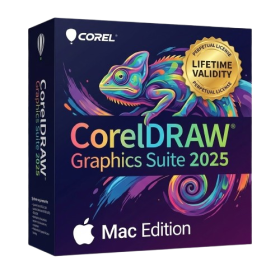
- Apply realistic pixel-based brush strokes to vector paths with the new Painterly Brush tool.
- Experience blazing-fast performance with native optimization for Apple M1, M2, and M3 chips.
- Use your iPad as a secondary display and graphics tablet via Sidecar with full Apple Pencil support.
- Access and use online fonts instantly without manual installation using the new Remote Fonts feature.
- Isolate specific objects for distraction-free editing with the new Focus Mode.
- Convert low-quality bitmap images into crisp vectors automatically with AI-powered PowerTRACE.
- AUTOMATIC DELIVERY INSTANTLY ON REGISTERED EMAIL .
- Any Installation Problem Freely Contact Us(Will Give You Support)
- Lifetime Validity
- Windows Version
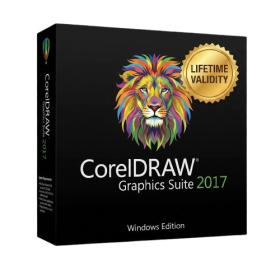
- Convert freehand sketches into precise vector curves instantly with the revolutionary AI-powered LiveSketch tool.
- Design naturally using advanced support for stylus devices, touchscreens, and the Microsoft Surface Dial.
- Enjoy a crisp, scalable workspace with native support for Ultra HD 5K monitors and multi-screen setups.
- Remove imperfections from photos seamlessly using the advanced Healing Clone tool in Corel PHOTO-PAINT.
- Manipulate nodes and curves more efficiently with revamped vector shaping and editing tools.
- Organize and find the perfect typeface quickly with the enhanced filtering in Corel Font Manager.
- AUTOMATIC DELIVERY INSTANTLY ON REGISTERED EMAIL .
- Any Installation Problem Freely Contact Us(Will Give You Support)
- Lifetime Validity
- Windows Version
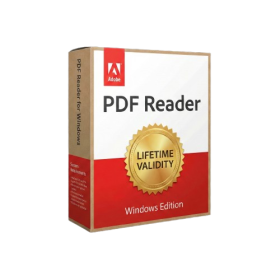
- Edit PDFs: Directly edit text, fix typos, and swap images inside any PDF.
- Convert Files: Turn Word, Excel, and PowerPoint documents into PDFs and back again.
- E-Signatures: Fill and sign forms digitally, or request and track signatures from others.
- OCR Scanning: Convert scanned paper documents into editable, searchable text automatically.
- Merge Files: Combine multiple documents, images, and spreadsheets into a single PDF file.
- Create Forms: Build smart, fillable forms with dropdowns and checkboxes.
- Secure Data: Password-protect files and restrict others from copying or printing content.
- Cloud Sync: Access and work on your documents from desktop, mobile, or the web.
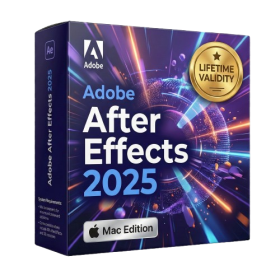
- Lifetime Validity
- Instant Delivery on Email
- Supported on All Apple Mac Systems
- Any Installation Problem Freely Contact Us(Will Give You Support)
- Render previews faster with native optimization for Apple Silicon (M1/M2/M3).
- Import and animate 3D models (GLB/GLTF) directly in the timeline.
- Isolate moving subjects instantly using the AI-powered Roto Brush 3.
- Preview and export simultaneously with high-speed Multi-Frame Rendering.
- Adjust layer settings quickly via the context-sensitive Properties Panel.
- Create realistic lighting and shadows with the native Advanced 3D renderer.
- Collaborate and review edits seamlessly with built-in Frame.io integration.