
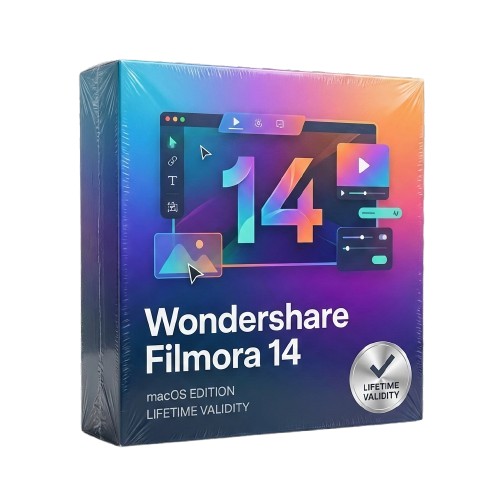
Filmora 14 Lifetime for macOS
- Lifetime Validity
- Instant Delivery on Email
- Supported on All Apple Mac Systems
- Any Installation Problem Freely Contact Us(Will Give You Support)
- Extract highlights automatically from long footage with the AI Smart Short Clips tool.
- Edit multiple camera angles simultaneously on a single track with Multi-Camera Editing.
- Match the color grading of any reference video or photo instantly using AI Color Palette.
- Restore details in low-resolution or blurry footage with the AI Video Enhancer.
- Translate videos and sync lip movements to the new language using AI Translation – Lip Sync.
Original price was: ₹999.00.₹499.00Current price is: ₹499.00.
Wondershare Filmora 14 (Mac): AI-Powered Video Editing for Modern Creators
Wondershare Filmora 14 for Mac redefines video editing by blending professional-grade tools with an intuitive, drag-and-drop interface. Designed specifically to leverage the power of macOS and Apple Silicon (M1/M2/M3), this latest version introduces groundbreaking AI features that automate the most tedious parts of the creative process.
Whether you are a YouTuber, a small business owner, or a social media influencer, Filmora 14 gives you the power to create cinematic videos without the steep learning curve of traditional editing software. It is the perfect balance of simplicity and advanced capability.
What’s New in Filmora 14?
1. AI Smart Short Clips
Turn one long video into multiple viral shorts instantly.
- The Feature: The AI analyzes your raw footage to find the most engaging highlights and automatically cuts them into vertical short-form videos perfect for TikTok, Reels, and Shorts.
- The Benefit: Save hours of manual scrubbing and chopping. Get a week’s worth of social content from a single upload.
2. Multi-Camera Editing
Edit like a TV studio pro.
- The Feature: Sync and edit footage from multiple cameras on a single timeline. You can switch between different angles in real-time while playing back the video.
- The Benefit: Perfect for podcasts, interviews, and tutorial videos where you need to cut between a wide shot and a close-up seamlessly.
3. AI Video Enhancer
Rescue your bad footage.
- The Feature: Advanced algorithms analyze low-quality, blurry, or grainy video and reconstruct missing details to upscale the resolution and clarity.
- The Benefit: Breathe new life into old family videos or fix footage that was shot in poor lighting conditions.
4. Planar Tracking
Beyond simple motion tracking.
- The Feature: While standard tracking follows a point, Planar Tracking analyzes a flat surface (like a phone screen, a billboard, or a wall) in perspective.
- The Benefit: You can replace a screen or add graffiti to a moving wall with perfect perspective alignment that looks 100% realistic.
Key Features for Mac Users
Optimized for Apple Silicon
- Filmora 14 is natively coded for Apple’s M-series chips. This means rendering speeds are up to 2x faster than previous versions, and scrubbing through 4K timeline footage is buttery smooth, even on a MacBook Air.
Magnetic Timeline
- No More Gaps: The new Magnetic Timeline mode ensures that when you delete a clip, the surrounding clips snap together automatically. It prevents accidental black frames and keeps your story flowing without manual adjustments.
AI Portrait Cutout
-
No Green Screen? No Problem: Instantly remove the background behind a person with a single click. You can then place your subject in any environment, add text behind them, or create cool glitch effects.
AI Audio Enhancer
- Crystal Clear Voice: Automatically detect and reduce background noise (like wind or traffic) while enhancing the clarity of the human voice. It’s like having a sound engineer inside your software.
Why Choose Filmora 14?
- Asset Library: Access over 10 million built-in stock media assets, including royalty-free music, sound effects, and stock video, directly from the interface.
- Templates: Start fast with thousands of professionally designed intro/outro templates and title presets.
- Cross-Platform: Projects created on Mac can be edited on Windows (and vice versa), making collaboration easy.
System Requirements (Mac)
- Operating System: macOS 10.15 (Catalina), macOS 11 (Big Sur), macOS 12 (Monterey), macOS 13 (Ventura), or macOS 14 (Sonoma).
- Processor: Intel i5 or better, 2GHz+. (Apple M1/M2/M3 chips recommended).
- Memory (RAM): 8 GB RAM (16 GB required for HD and 4K videos).
- Graphics: Intel HD Graphics 5000 or later; AMD Radeon R5 or later. 2 GB vRAM (4 GB required for HD and 4K videos).
- Disk: 10 GB free hard-disk space (SSD recommended).
Related Products
- AUTOMATIC DELIVERY INSTANTLY ON REGISTERED EMAIL .
- Any Installation Problem Freely Contact Us(Will Give You Support)
- Lifetime Validity
- Mac Version
- Run natively on Apple Silicon (M1/M2/M3) for blazing-fast performance.
- Visualize models with realistic depth using the new Ambient Occlusion engine.
- Generate unique textures instantly with integrated AI-powered prompts.
- Sync projects seamlessly between Mac, iPad, and Web versions.
- Convert iPhone LiDAR scans into 3D models automatically via Scan-to-Design.
- Create 2D documentation faster with the optimized LayOut rendering engine.
- Import and export USDZ files easily for Apple AR visualization.
- AUTOMATIC DELIVERY INSTANTLY ON REGISTERED EMAIL .
- Any Installation Problem Freely Contact Us(Will Give You Support)
- Lifetime Validity
- Windows Version
- Navigate scenes with a unified, redesigned user interface for faster workflows.
- Enhance export quality instantly with the AI-powered NVIDIA Denoiser.
- Simulate realistic colored shadows for glass and transparent materials.
- Upscale textures and assets automatically using the Chaos AI Enhancer.
- Apply pencil and watercolor effects with new Artistic Visual Modes.
- Immerse clients in designs with support for Meta Quest 3 and HTC Vive.
- AUTOMATIC DELIVERY INSTANTLY ON REGISTERED EMAIL .
- Any Installation Problem Freely Contact Us(Will Give You Support)
- Lifetime Validity
- Windows Version
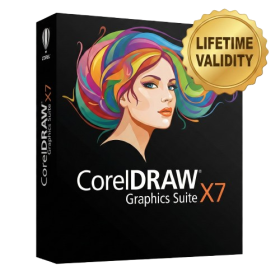
- CorelDRAW X7 – Vector Illustration & Layout
- Corel PHOTO-PAINT X7 – Professional Photo Editing
- PowerTRACE – Convert Images to Vector
- Corel CONNECT – Search & Manage Content
- Corel CAPTURE – One-click Screenshot Tool
- Website Creator – Simple Website Building
- PhotoZoom Plugin – High-quality image enlargement
- Lifetime Validity
- Instant Delivery on Email
- Supported on All Apple Mac Systems
- Any Installation Problem Freely Contact Us(Will Give You Support)
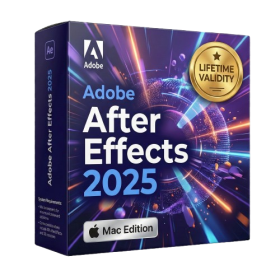
- Render previews faster with native optimization for Apple Silicon (M1/M2/M3).
- Import and animate 3D models (GLB/GLTF) directly in the timeline.
- Isolate moving subjects instantly using the AI-powered Roto Brush 3.
- Preview and export simultaneously with high-speed Multi-Frame Rendering.
- Adjust layer settings quickly via the context-sensitive Properties Panel.
- Create realistic lighting and shadows with the native Advanced 3D renderer.
- Collaborate and review edits seamlessly with built-in Frame.io integration.
- AUTOMATIC DELIVERY INSTANTLY ON REGISTERED EMAIL .
- Any Installation Problem Freely Contact Us(Will Give You Support)
- Lifetime Validity
- Windows Version
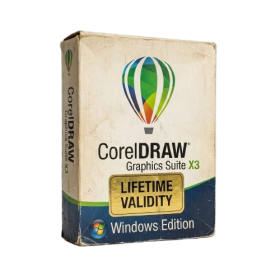
- A complete graphic design suite combining vector illustration, page layout, and photo editing.
- Quickly convert bitmap images into editable vectors with the integrated Corel PowerTRACE.
- Apply fills to any enclosed area instantly, regardless of the object’s structure, using the Smart Fill tool.
- Adjust color and tone easily in a single interface with the Image Adjustment Lab.
- Includes Corel PHOTO-PAINT X3 for professional image retouching and bitmap creation.
- Precisely mask and remove backgrounds from photos using the intuitive Cutout Lab.
- Remove unwanted areas from objects, groups, or imported graphics with the Crop tool.
- Enhanced text handling and OpenType support provide precise control over typography.
- Add depth to your designs with interactive contour, bevel, and drop shadow tools.
- Includes a massive library of clipart, fonts, and high-quality photos for immediate use.
- AUTOMATIC DELIVERY INSTANTLY ON REGISTERED EMAIL .
- Any Installation Problem Freely Contact Us(Will Give You Support)
- Lifetime Validity
- Windows Version
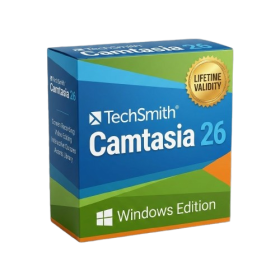
- Edit video content as easily as a text document with the AI-powered text-based editing workflow.
- Instantly remove or replace video backgrounds without a green screen using dynamic AI masking.
- Automatically generate and sync accurate captions and subtitles from your voiceover in seconds.
- Smooth out jerky mouse movements and customize cursor paths with advanced cursor effects.
- Record high-resolution 4K screen capture, webcam, and system audio simultaneously.
- Clean up background noise and balance vocal levels instantly with AI-enhanced audio filters.
- Access a vast library of royalty-free intros, motion graphics, and music directly within the editor.
- Engage viewers by adding interactive quizzes and clickable hotspots directly to your videos.
- Apply professional animations and behaviors to text and images with simple drag-and-drop actions.
- Export videos faster than ever with optimized GPU acceleration for modern hardware.
- Lifetime Validity
- Instant Delivery on Email
- Any Installation Problem Freely Contact Us(Will Give You Support)
- Supported on all Apple Mac Products
- Pre-Activated for Lifetime
- Extend short clips seamlessly using the new AI-powered Generative Extend tool.
- Remove unwanted objects or add new elements to video scenes instantly with Generative Fill.
- Edit videos rapidly by cutting and rearranging text in the auto-generated transcript.
- Clean up noisy dialogue to studio quality instantly with AI Enhanced Speech.
- Experience real-time 8K playback and fast rendering with native Apple Silicon optimization.
- Create precise audio fades visually by dragging interactive handles on the clips.
- Match colors across different cameras and HDR formats automatically with Auto Tone Mapping.
- AUTOMATIC DELIVERY INSTANTLY ON REGISTERED EMAIL .
- Any Installation Problem Freely Contact Us(Will Give You Support)
- Lifetime Validity
- Windows Version
- Painterly Brush Tool: Apply realistic, pixel-based brush strokes (like oil or chalk) to vector paths.
- Vector Illustration: Professional tools for creating logos, signage, and complex vector art.
- Page Layout: Seamlessly handle multi-page documents like brochures and manuals.
- Photo Editing: Includes Corel PHOTO-PAINT 2025 for advanced image retouching and adjustment.
- Remote Fonts: Access and use online fonts instantly without needing to install them first.
- AI PowerTRACE: Automatically converts low-quality bitmap images into crisp, scalable vectors.
- Print to PDF: Redesigned export workflow for perfect print results with better color and bleed control.
- Focus Mode: Isolate specific objects while fading the background for distraction-free editing.
- Cross-Platform: Native support for both Windows 11 and macOS Sonoma.
- Lifetime Validity
- Instant Delivery on Email
- Any Installation Problem Freely Contact Us(Will Give You Support)
- Supported on Windows 10,11
- Pre-Activated for Lifetime Validity
Adobe Photoshop is the industry-leading digital image editing and design application that offers the tools to create anything you can imagine.
- AUTOMATIC DELIVERY INSTANTLY ON REGISTERED EMAIL .
- Any Installation Problem Freely Contact Us(Will Give You Support)
- Lifetime Validity
- Windows Version
- Map video onto complex geometric structures and surfaces with advanced projection mapping tools.
- Stitch multiple projectors into a single seamless widescreen image with soft edge blending.
- Sync video with lighting fixtures using DMX input and advanced LED pixel mapping.
- Lock your visuals perfectly to show tracks and DJ sets using SMPTE timecode input.
- Mix unlimited layers of video, effects, and generative content in real-time.
- Correct mistakes instantly during live setup with the fully integrated Undo/Redo feature.
- AUTOMATIC DELIVERY INSTANTLY ON REGISTERED EMAIL .
- Any Installation Problem Freely Contact Us(Will Give You Support)
- Lifetime Validity
- Windows Version
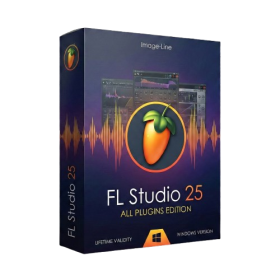
- Includes Everything: Every native plugin Image-Line sells (Synths, Effects, Tools).
- Massive Library: Comes with Harmor, Sytrus, Gross Beat, and the new Kepler Exo.
- Dynamic Mixing: Expand your mixer up to 500 tracks with the new 2025 engine
- Stem Separation: Split any song into Drums, Bass, Vocals, and Instruments instantly.
- Audio Editing: Edit pitch and time directly in the playlist with Newtone.
- Visualizers: Render 4K videos for social media with ZGameEditor Visualizer.
- Controller Support: Plug-and-play compatibility with virtually any MIDI controller.
- AUTOMATIC DELIVERY INSTANTLY ON REGISTERED EMAIL .
- Any Installation Problem Freely Contact Us(Will Give You Support)
- Lifetime Validity
- Windows Version
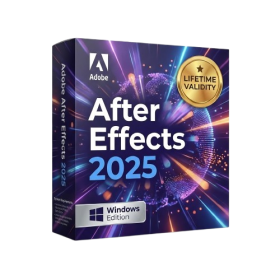
- Import and animate 3D models (GLB/GLTF) natively without external plugins.
- Isolate moving subjects instantly using the AI-powered Roto Brush 3.
- Access and edit key layer settings faster with the context-sensitive Properties Panel.
- Render previews and final exports simultaneously with Multi-Frame Rendering.
- Manage professional color workflows accurately with native OpenColorIO (ACES) support.
- Composite 3D objects realistically onto 2D footage using Shadow Catchers.
- Review and approve content seamlessly with the built-in Frame.io integration.