
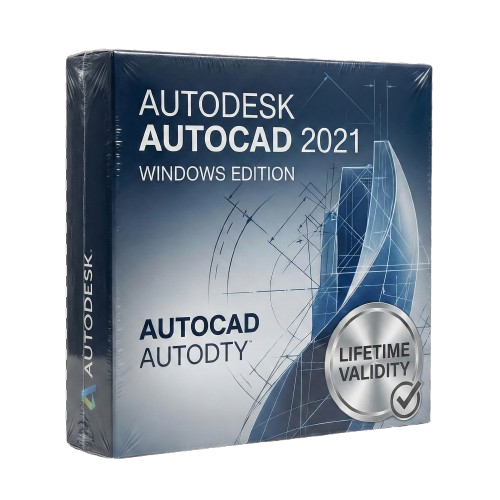
AutoCAD 2021 for Lifetime
- AUTOMATIC DELIVERY INSTANTLY ON REGISTERED EMAIL .
- Any Installation Problem Freely Contact Us(Will Give You Support)
- Lifetime Validity
- Windows Version
- View and compare previous versions of your file instantly with Drawing History.
- Identify changes in external references automatically using the Xref Compare tool.
- Display area and perimeter measurements instantly just by hovering with Quick Measure.
- Trim and extend lines significantly faster with the streamlined Quick mode default.
- Access your block libraries anywhere via the enhanced cloud-synced Blocks Palette.
- Open and save DWG files directly from Google Drive within the interface.
- Resize revision clouds easily using the new approximate arc chord length control.
Original price was: ₹999.00.₹499.00Current price is: ₹499.00.
Autodesk AutoCAD 2021 (Windows): Design with Greater Insight and Speed
AutoCAD 2021 for Windows sets a new standard for CAD software, focusing on automation and collaboration to help you work faster and more accurately. This release is built for the modern workflow, offering seamless connections between the desktop app, web app, and mobile devices.
Whether you are an architect, mechanical engineer, or construction professional, AutoCAD 2021 provides the robust 2D drafting and 3D modeling tools you need, enhanced with new features that automatically track your drawing history and visualize changes in real-time. It is the most intelligent, connected AutoCAD yet.
What’s New in AutoCAD 2021?
1. Drawing History
See the evolution of your work.
- The Feature: AutoCAD 2021 automatically tracks version history. You can compare the current version of a drawing with previous iterations side-by-side directly within the context of your current drawing.
- The Benefit: Instantly see who changed what and when, without having to hunt through file backups.
2. Xref Compare
Manage external references with confidence.
- The Feature: When an external reference (Xref) is updated, a notification appears. You can then compare the changes between the old and new Xref files without leaving your current window.
- The Benefit: Changes are highlighted with color-coded clouds, ensuring you never miss a modification from a team member or consultant.
3. Blocks Palette (Enhanced)
Access your content anywhere.
- The Feature: The Blocks palette now lets you sync your block libraries to the cloud. You can access your recent blocks from the desktop application or the AutoCAD Web App.
- The Benefit: Insert your standard title blocks, symbols, and components from any device, keeping your drawings consistent.
4. Graphics Performance
- Smoother Navigation: Pan and zoom faster in 2D. AutoCAD 2021 utilizes multi-core processors more effectively, providing a smoother experience when regenerating heavy layouts.
- 3D Performance: Experience faster orbit, pan, and zoom operations in 3D styles like “Conceptual” or “Realistic.”
Key Features
Quick Measure
- Simply hover your mouse over any area of your drawing, and AutoCAD automatically displays all nearby measurements (dimensions, angles, and areas) dynamically. It’s the fastest way to verify a drawing.
Cloud Connectivity
- Google Drive Integration: Open DWG files directly from Google Drive within AutoCAD, edit them, and save them back securely. Also supports Box, Dropbox, and OneDrive.
Streamlined Trim & Extend
- The “Quick Mode” is now the default. You can select all potential boundaries by default and trim or extend objects just by clicking on the segment you want to modify.
Why Choose the 2021 Release?
- Stability: As a mature release, AutoCAD 2021 is known for its stability and compatibility with Windows 10.
- Insight: The Drawing History feature alone saves hours of project management time by visually tracking progress.
- Eye Care: The user interface has been optimized with a darker “Dark Mode” to reduce eye strain during long drafting sessions, with sharper icons and better contrast.
System Requirements (Windows)
- Operating System: Windows 10 (64-bit only) or Windows 8.1 (64-bit).
- Processor: 2.5–2.9 GHz processor (3+ GHz recommended).
- Memory (RAM): 8 GB (16 GB recommended).
- Graphics: 1 GB GPU with 29 GB/s Bandwidth and DirectX 11 compliant (4 GB GPU recommended).
- Disk Space: 7.0 GB of available hard disk space.
- Display: 1920 x 1080 resolution with True Color.
Related Products
- Lifetime Validity
- Instant Delivery on Email
- Any Installation Problem Freely Contact Us(Will Give You Support)
- Supported on all Apple Mac Products
- Pre-Activated for Lifetime Validity
Adobe Photoshop is the industry-leading digital image editing and design application that offers the tools to create anything you can imagine.
- AUTOMATIC DELIVERY INSTANTLY ON REGISTERED EMAIL .
- Any Installation Problem Freely Contact Us(Will Give You Support)
- Lifetime Validity
- Windows Version
- Includes Everything: Every native plugin Image-Line sells (Synths, Effects, Tools).
- Massive Library: Comes with Harmor, Sytrus, Gross Beat, and the new Kepler Exo.
- Dynamic Mixing: Expand your mixer up to 500 tracks with the new 2025 engine
- Stem Separation: Split any song into Drums, Bass, Vocals, and Instruments instantly.
- Audio Editing: Edit pitch and time directly in the playlist with Newtone.
- Visualizers: Render 4K videos for social media with ZGameEditor Visualizer.
- Controller Support: Plug-and-play compatibility with virtually any MIDI controller.
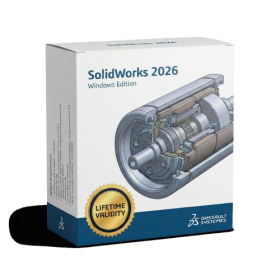
- AUTOMATIC DELIVERY INSTANTLY ON REGISTERED EMAIL .
- Any Installation Problem Freely Contact Us(Will Give You Support)
- Lifetime Validity
- Windows Version
- Automate assembly mates instantly with AI-powered fastener recognition.
- Generate complete 2D drawings from 3D models automatically with AI tools.
- Split component configurations into separate files in batches seamlessly.
- Skip unnecessary rebuilds for cosmetic changes to speed up large assemblies.
- Create reference points precisely using global XYZ coordinate values.
- Import massive neutral files in the background while you continue working.
- Render photorealistic images directly within the interface without switching apps.
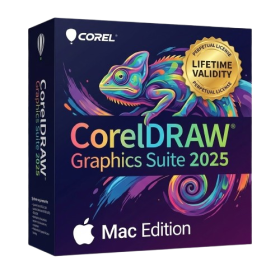
- AUTOMATIC DELIVERY INSTANTLY ON REGISTERED EMAIL .
- Any Installation Problem Freely Contact Us(Will Give You Support)
- Lifetime Validity
- Mac Version
- Apply realistic pixel-based brush strokes to vector paths with the new Painterly Brush tool.
- Experience blazing-fast performance with native optimization for Apple M1, M2, and M3 chips.
- Use your iPad as a secondary display and graphics tablet via Sidecar with full Apple Pencil support.
- Access and use online fonts instantly without manual installation using the new Remote Fonts feature.
- Isolate specific objects for distraction-free editing with the new Focus Mode.
- Convert low-quality bitmap images into crisp vectors automatically with AI-powered PowerTRACE.
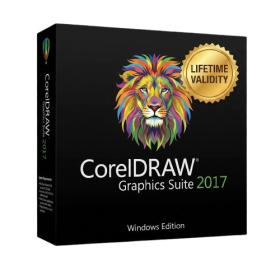
- AUTOMATIC DELIVERY INSTANTLY ON REGISTERED EMAIL .
- Any Installation Problem Freely Contact Us(Will Give You Support)
- Lifetime Validity
- Windows Version
- Convert freehand sketches into precise vector curves instantly with the revolutionary AI-powered LiveSketch tool.
- Design naturally using advanced support for stylus devices, touchscreens, and the Microsoft Surface Dial.
- Enjoy a crisp, scalable workspace with native support for Ultra HD 5K monitors and multi-screen setups.
- Remove imperfections from photos seamlessly using the advanced Healing Clone tool in Corel PHOTO-PAINT.
- Manipulate nodes and curves more efficiently with revamped vector shaping and editing tools.
- Organize and find the perfect typeface quickly with the enhanced filtering in Corel Font Manager.
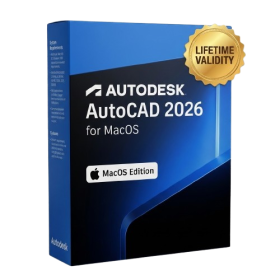
- AUTOMATIC DELIVERY INSTANTLY ON REGISTERED EMAIL .
- Any Installation Problem Freely Contact Us(Will Give You Support)
- Lifetime Validity
- Mac Version
- Fully optimized for Apple Silicon (M1/M2/M3) chips to deliver faster rendering and smoother zooming.
- Automatically place and replace repetitive objects instantly with the new AI-powered Smart Blocks tool.
- Track file changes and view detailed multi-user edit histories with the enhanced Activity Insights dashboard.
- Import feedback directly from PDFs or printed paper and let AI auto-insert revisions with Markup Assist.
- Collaborate securely by adding design notes to the Trace layer without altering the existing drawing.
- AUTOMATIC DELIVERY INSTANTLY ON REGISTERED EMAIL .
- Any Installation Problem Freely Contact Us(Will Give You Support)
- Lifetime Validity
- Windows Version
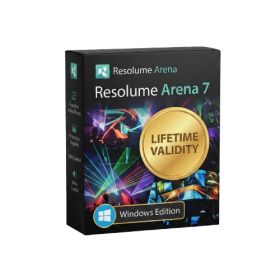
- Map video onto complex geometric structures and surfaces with advanced projection mapping tools.
- Stitch multiple projectors into a single seamless widescreen image with soft edge blending.
- Sync video with lighting fixtures using DMX input and advanced LED pixel mapping.
- Lock your visuals perfectly to show tracks and DJ sets using SMPTE timecode input.
- Mix unlimited layers of video, effects, and generative content in real-time.
- Correct mistakes instantly during live setup with the fully integrated Undo/Redo feature.
- AUTOMATIC DELIVERY INSTANTLY ON REGISTERED EMAIL .
- Any Installation Problem Freely Contact Us(Will Give You Support)
- Lifetime Validity
- Windows Version
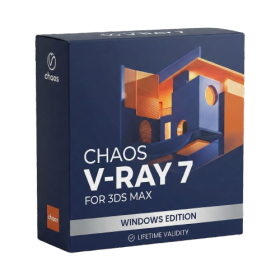
- Render and clip real-world 3D scans natively with full Gaussian Splatting support.
- Simulate complex light fixtures significantly faster using the new V-Ray Luminaire.
- Generate accurate stars, moon, and phases instantly with the procedural Night Sky.
- Create PBR materials from simple photos automatically with the AI Material Generator.
- Stream interactive 3D scenes to clients via a web link with Chaos Cloud Streaming.
- Analyze scene performance and spot bottlenecks precisely using the V-Ray Profiler.
- Render realistic caustics and refractions at high speeds with updated V-Ray GPU.
- AUTOMATIC DELIVERY INSTANTLY ON REGISTERED EMAIL .
- Any Installation Problem Freely Contact Us(Will Give You Support)
- Lifetime Validity
- Windows Version
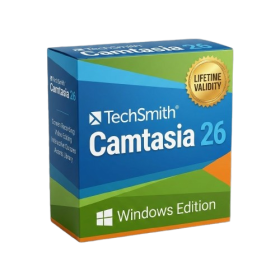
- Edit video content as easily as a text document with the AI-powered text-based editing workflow.
- Instantly remove or replace video backgrounds without a green screen using dynamic AI masking.
- Automatically generate and sync accurate captions and subtitles from your voiceover in seconds.
- Smooth out jerky mouse movements and customize cursor paths with advanced cursor effects.
- Record high-resolution 4K screen capture, webcam, and system audio simultaneously.
- Clean up background noise and balance vocal levels instantly with AI-enhanced audio filters.
- Access a vast library of royalty-free intros, motion graphics, and music directly within the editor.
- Engage viewers by adding interactive quizzes and clickable hotspots directly to your videos.
- Apply professional animations and behaviors to text and images with simple drag-and-drop actions.
- Export videos faster than ever with optimized GPU acceleration for modern hardware.
- AUTOMATIC DELIVERY INSTANTLY ON REGISTERED EMAIL .
- Any Installation Problem Freely Contact Us(Will Give You Support)
- Lifetime Validity
- Windows Version
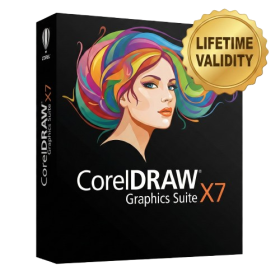
- CorelDRAW X7 – Vector Illustration & Layout
- Corel PHOTO-PAINT X7 – Professional Photo Editing
- PowerTRACE – Convert Images to Vector
- Corel CONNECT – Search & Manage Content
- Corel CAPTURE – One-click Screenshot Tool
- Website Creator – Simple Website Building
- PhotoZoom Plugin – High-quality image enlargement
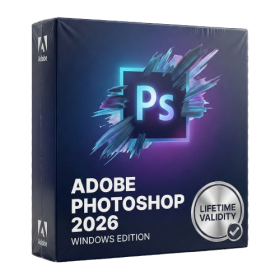
- Lifetime Validity
- Instant Delivery on Email
- Any Installation Problem Freely Contact Us(Will Give You Support)
- Supported on Windows 10,11
- Pre-Activated for Lifetime Validity
- Frame Tool for easy masking
- Content-Aware Fill reimagined
- New multiple undo mode
- Usability improvements
- Transform proportionally by default
- Prevent accidental panel moves with Lock Workspace
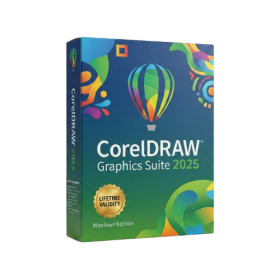
- AUTOMATIC DELIVERY INSTANTLY ON REGISTERED EMAIL .
- Any Installation Problem Freely Contact Us(Will Give You Support)
- Lifetime Validity
- Windows Version
- Painterly Brush Tool: Apply realistic, pixel-based brush strokes (like oil or chalk) to vector paths.
- Vector Illustration: Professional tools for creating logos, signage, and complex vector art.
- Page Layout: Seamlessly handle multi-page documents like brochures and manuals.
- Photo Editing: Includes Corel PHOTO-PAINT 2025 for advanced image retouching and adjustment.
- Remote Fonts: Access and use online fonts instantly without needing to install them first.
- AI PowerTRACE: Automatically converts low-quality bitmap images into crisp, scalable vectors.
- Print to PDF: Redesigned export workflow for perfect print results with better color and bleed control.
- Focus Mode: Isolate specific objects while fading the background for distraction-free editing.
- Cross-Platform: Native support for both Windows 11 and macOS Sonoma.